1
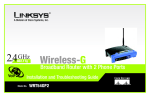
Wireless-G Broadband Router with 2 Phone Ports
Chapter 1: Introduction
Welcome
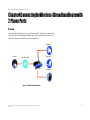
Thank you for choosing the Linksys Wireless-G Broadband Router. The Wireless-G Broadband Router will allow
you to network wirelessly better than ever, sharing Internet access, files and fun, easily and securely.
How does the Wireless-G Broadband Router do all of this? A router is a device that allows access to an Internet
connection over a network. With the Wireless-G Broadband Router, this access can be shared over the three
switched ports or via the wireless broadcast at either up to 11Mbps for Wireless-B or up to 54Mbps for WirelessG. In addition, the WPA standard provides greater security opportunities while the whole network is protected
through NAT technology. All of these security features, as well as full configurability, are accessed through the
easy-to-use browser-based utility.
But what does all of this mean?
wpa (wi-fi protected access): a wireless
security protocol using TKIP (Temporal Key
Integrity Protocol) encryption, which can be
used in conjunction with a RADIUS server
nat (network address translation): NAT
technology translated IP addresses of a
local area network to a different IP address
for the Internet
Networks are useful tools for sharing Internet access and computer resources. Multiple computers can share
Internet access, so you don’t need more than one high-speed Internet connection. After you set up your babyTEL
account, you can also use your Internet access to make phone calls, even while you’re surfing the Internet.
Plus, you can access one printer from different computers and access data located on another computer’s hard
drive. Networks are even used for playing multiplayer video games. So, networks not only are useful in homes
and offices, but also can be fun.
mbps: one million bits per second; a unit of
measurement for data transmission
PCs on a wired network create a LAN, or Local Area Network. They are connected with Ethernet cables, which is
why the network is called “wired”.
lan (local area network): the computers and
networking products that make up the network
in your home or office
browser: an application program that
provides a way to look at and interact with all
the information on the World Wide Web
PCs equipped with wireless cards or adapters can communicate without cumbersome cables. By sharing the
same wireless settings, within their transmission radius, they form a wireless network. This is sometimes called
a WLAN, or Wireless Local Area Network. The Wireless-G Broadband Router bridges wireless networks of both
802.11b and 802.11g standards and wired networks, allowing them to communicate with each other.
ethernet: an IEEE standard network protocol that
specifies how data is placed on and retrieved from
a common transmission medium
With your networks all connected, wired, wireless, and the Internet, you can now share files and Internet
access—and even play games. All the while, the Wireless-G Broadband Router protects your networks from
unauthorized and unwelcome users.
802.11b: an IEEE wireless networking standard
that specifies a maximum data transfer rate of
11Mbps and an operating frequency of 2.4GHz
To create your network, install and set up the Router. To guide you through the process, Linksys strongly
recommends that you run the Setup Wizard on the Setup CD-ROM. If you prefer to manually set up the Router, use
the instructions in the Quick Installation or this User Guide to help you. These instructions should be all you need
to get the most out of the Wireless-G Broadband Router.
802.11g: an IEEE wireless networking standard
that specifies a maximum data transfer rate of
54Mbps, an operating frequency of 2.4GHz, and
backward compatibility with 802.11b devices
Chapter 1: Introduction
Welcome
1