1
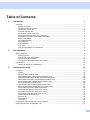
Table of Contents
1
Internet fax
1
Overview....................................................................................................................................................1
Getting connected ...............................................................................................................................1
Control panel key functions .................................................................................................................2
Sending an Internet fax .......................................................................................................................2
Manually entering text .........................................................................................................................3
Receiving E-mail or Internet fax ..........................................................................................................3
Receiving an Internet fax to your computer.........................................................................................4
Forwarding received E-mail and fax messages...................................................................................4
Relay broadcasting..............................................................................................................................4
TX Verification Mail..............................................................................................................................7
Setup Mail TX ......................................................................................................................................7
Setup Mail RX......................................................................................................................................7
Error mail .............................................................................................................................................7
Important information on Internet fax...................................................................................................8
2
Fax operation
9
Storing numbers ........................................................................................................................................9
Storing a pause ...................................................................................................................................9
Storing one touch dial numbers...........................................................................................................9
Storing speed dial numbers...............................................................................................................11
Changing one touch and speed dial numbers ...................................................................................12
Broadcasting ...........................................................................................................................................13
Setting up groups for broadcasting....................................................................................................14
3
Control panel setup
16
LAN menu................................................................................................................................................16
TCP/IP ...............................................................................................................................................16
Ethernet (wired network only)............................................................................................................25
Setup Wizard (MFC-7840W wireless network only) ..........................................................................25
SES/WPS/AOSS (MFC-7840W wireless network only) ....................................................................26
WPS w/PIN Code (MFC-7840W wireless network only) ...................................................................26
WLAN Status (MFC-7840W wireless network only) ..........................................................................26
Set to Default (MFC-7840W only) .....................................................................................................28
Wired Enable (MFC-7840W wired network only) ..............................................................................29
WLAN Enable (MFC-7840W wireless network only) .........................................................................29
Setup Internet (from the Setup IFAX menu) ......................................................................................30
Setup Mail RX (from the Setup IFAX menu)......................................................................................35
Setup Mail TX (from the Setup IFAX menu) ......................................................................................37
Setup Relay (from the Setup IFAX menu) .........................................................................................39
Scan to E-mail (E-mail server)...........................................................................................................41
Scan to FTP.......................................................................................................................................43
Fax to Server .....................................................................................................................................44
Time Zone .........................................................................................................................................46
Restoring the network settings to factory default.....................................................................................47
Printing the Network Configuration List ...................................................................................................47
v