1
Overview
Aastra Model 480i CT Features Overview
Feature keys on the handset
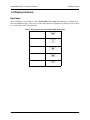
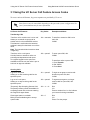
You can program up to 12 feature keys on the 480i CT handset with specific functions using the Aastra
Web UI. The following table identifies the functions available for all 12 handset keys and the default
functions for each key.
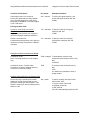
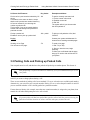
Table 2. Handset feature keys
Key Function
Description
Default for:
Line 1
Line 1 key - Selects line one
Handset Key 1
Line 2
Line 2 key - Selects line two
Handset Key 2
Line 3
Line 3 key - Selects line three
Handset Key 3
Line 4
Line 4 key - Selects line four
Handset Key 4
Icom
Intercom key - Enter handset list to select handset to
call
Handset Key 5
Dir
Directory key - Activate directory feature
Handset Key 6
Callers
Callers key - Activate callers feature
Handset Key 7
Xfer
Transfer key - Activate transfer feature
Handset Key 8
Conf
Conference key - Activate conference feature
Handset Key 9
Public
Public key - Switch between public & private call mode
Handset Key 10
None
No function is selected - this key is empty, no label
Handset Key 11 and
12
Line 5
Line 5 key (if available) - Selects line five
Line 6
Line 6 key (if available) - Selects line six
Line 7
Line 7 key (if available) - Selects line seven
Line 8
Line 8 key (if available) - Selects line eight
Line 9
Line 9 key (if available) - Selects line nine
Phone features
The Aastra Model 480i CT IP phone has the following features:
•
•
•
•
•
•
•
•
•
8
A 3.5” x 2.25” backlit display on main unit
Handset with 1 1/4” x 3/4” backlit display and a handset base
Six multi-functional softkeys—as default or customized settings
Four line/call appearance buttons with corresponding lights
Up to 5 additional line/call appearances as softkeys
Enhanced busy lamp fields
Full-duplex speakerphone for handsfree
Built-in-two-port, 10/100 ethernet switch, which lets you share a connection with your computer
Inline power support, which eliminates power adapters
Copyright © 2009 ADTRAN, Inc.
619500100-1A