1
Programming Functions (cont'd)
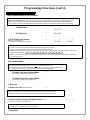
ENTER KEY
Enter Key
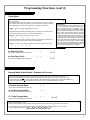
• When this function is enabled, the User must press : after any valid User Code entry. Therefore,
this Function allows User Codes to be subsets of other User Codes.
4
Examples:
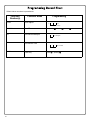
1 2 3 : can be a valid user code;
1 2 3 4 : can be a valid user code within the same lock.
1 2 3 4 5 6 : (Hold ;) for Master User Code to enter Program Mode.
69. Enable : as Enter Key
;69:
70. Disable : as Enter Key
;70:
71. Reserved
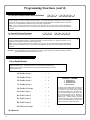
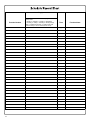
SCHEDULES
NOTE:
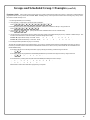
Scheduled Passage and Group
Clear All Schedule and Timeout Functions by entering Function 12.
To set the time, see Function 39.
Use the functions below to enable Passage Mode and enable/disable Groups at the time programmed.
• For day enter: 1 for Sunday, 2 for Monday, 3 for Tuesday, 4 for Wednesday, 5 for Thursday, 6 for
Friday, 7 for Saturday, 8 for Monday to Friday, 9 for Saturday and Sunday, and 0 for all days of week.
Passage
Mode
Groups
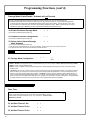
72. Schedule Enable Passage
Mode ("Unlock")
;72
73. Schedule Disable Passage
Mode ("Lock")
;73
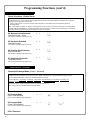
74. Schedule Enable Group 1
;[_]
(Day)
;[_]
(Day)
;74
;[_]
(Day)
75. Schedule Enable Group 2
;75
;[_]
(Day)
76. Schedule Enable Group 3
;76
;[_]
(Day)
77. Schedule Enable Group 4
;77
;[_]
(Day)
78. Schedule Enable All Groups
;78
;[_]
(Day)
79. Schedule Disable Group 1
;79
;[_]
(Day)
80. Schedule Disable Group 2
;80
;[_]
(Day)
81. Schedule Disable Group 3
;81
;[_]
(Day)
82. Schedule Disable Group 4
;82
;[_]
(Day)
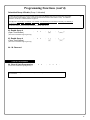
83. Schedule Disable All Groups
;83
;[_]
(Day)
3
;[____]:
(Time)
;[____]:
(Time)
;[____]:
(Time)
;[____]:
(Time)
;[____]:
(Time)
;[____]:
(Time)
;[____]:
(Time)
;[____]:
(Time)
;[____]:
(Time)
;[____]:
(Time)
;[____]:
(Time)
;[____]:
(Time)
25