1
Contents
Chapter 1
Getting Started
What Does the AastraLink Pro 160 Allow Me To Do? ....................................................1-2
.
What Should I Do First? .................................................................................................1-3
.
What Information Do I Need To Use the AastraLink Pro 160 Web UI? ..........................1-4
.
Can I Still Use My Phone UI? .........................................................................................1-6
.
Chapter 2
Operating Your Aastra IP Phone Using the Phone UI
Read Me First .................................................................................................................2-3
.
IP Phone Dial Plan and Star Codes ................................................................................2-4
.
Aastra IP Phone Dialplan ..................................................................................2-6
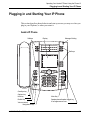
Plugging in and Starting Your IP Phone ..........................................................................2-7
.
How to Use the IP Phone UI ....................................................................................2-9
.
Idle State Screen ...............................................................................................2-9
Idle State Screen When You Pick Up The Handset .........................................2-10
Idle State Screen When A Call Is Incoming .....................................................2-10
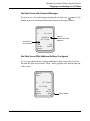
Idle State Screen with Voicemail Messages .................................................... 2-11
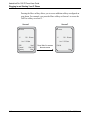
Idle State Screen With Additional Softkeys Configured ................................... 2-11
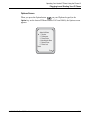
Options Screen ................................................................................................2-13
Services ...........................................................................................................2-16
Preferences ....................................................................................................2-18
Phone Status ...................................................................................................2-20
Administrator Menu .........................................................................................2-22
Restart Phone ..................................................................................................2-23
Phone Lock ......................................................................................................2-23
How to Use IP Phone Hard Keys ...........................................................................2-24
.
How To Use IP Phone Softkeys .............................................................................2-26
.
How to Use Multiple Line and Call Appearances Buttons ......................................2-28
Making Calls .................................................................................................................2-29
41-001134-05, Rev 00, Rel. 1.1
.
.
iii