1
PINNACLE SYSTEMS
236
VIDEO & AUDIO EDITING
STUDIO 9
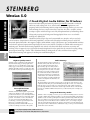
Software Video Editor
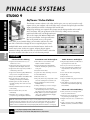
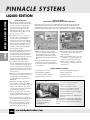
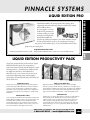
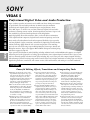
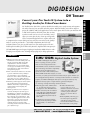
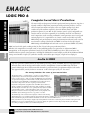
The ultimate consumer software video editor, Studio 9 gives you every tool you need to easily
capture video to your computer, edit it, add titles, music, narration and special effects and then
output a finished movie back to videotape, DVD and the web.
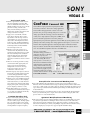
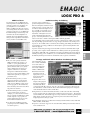
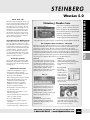
Simply drag-and-drop your captured video footage onto the editing timeline and assemble a
movie in minutes. Take your production to the next level by adding voiceover narration,
professional-caliber titles, and background music.
You can also import CD, MP3 and WAV audio
files into your timeline, and export still frames
that can be printed out on a color printer.
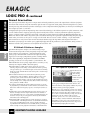
Then, when you are finished editing, you can author and burn discs with
your CD or DVD burner that play in most set-top DVD players. Create
multiple linked menus, motion menus and motion buttons. Studio 9 also
features native 16x9 (widescreen) support, 3rd party plug-in support,
automated editing, and audio and video correction tools. Studio is more than
the easiest consumer video editor to use; it’s also the most powerful.
FEATURES
Advanced Video Editing
Audio Features and Effects
Transitions and Video Effects
Import background music as MP3 files or
rip directly from an audio CD
◆
Capture and edit widescreen (16:9) or
standard (4:3) video
◆
More than 100 scene transitions and
Hollywood FX 3D transitions
◆
◆
Capture and edit footage from your DV
Digital8 or MicroMV digital camcorder
◆
Professional title effects with Pinnacle
TitleDeko, including drop shadows and
neon glows
◆
Record your own voiceover narration
◆
Create custom musical soundtracks precisely matched to the duration of your
movie
◆
◆
Capture and edit footage from your Hi8 or
S-VHS analog camcorder
Capture and edit DVD quality MPEG video
from your DV or Digital8 camcorder
◆
Import and edit MPEG-1 and MPEG-2 files
◆
Easy drag-and-drop editing lets you
assemble your masterpiece in minutes
◆
SmartCapture saves time and effort by
instantly detecting where each scene starts
and stops
◆
Advanced timeline features for frame-byframe editing
◆
Preview window shows your edits
immediately
◆
Automatic color correction to enhance
poorly lit footage and brighten dull video.
◆
Fast/slow motion effects
◆
Special video effects and image correction
◆
Stereo and surround sound panning
◆
Video Enhancement
◆
Graphic EQ
◆
Effect fade in fade out
◆
Effect fade in fade out
◆
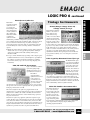
Fix poorly shot footage using Studio’s audio
and video cleaning and restoration tools:
◆ Support
◆ Image
Stabilization to fix those shaky
handheld shots
◆
◆
Audio Filters let you apply professionallevel effects such as Reverb, Graphic EQ
and normalize.
◆
Share your movies on videotape, DVD,
Video CD, and the Internet
◆
Burn a video CD or DVD that you can play
on your living room DVD player
◆
Output widescreen (16:9) or standard (4:3)
video
Analog cleaning lets you restore old tapes
Noise Reduction tools for removal of
unwanted background noise such as annoying wind noise, hiss, and camcorder whine
◆ Image Filters let you create exciting video
effects, such as Old Time Movie, Ripples,
Lens Flares and more.
◆
With all of these features and more, it’s easy to see why Studio version 9 software is the best
solution for all video enthusiasts who want to edit and output high-quality movies back to
videotape DVD and the Internet. For those who need video capture or output hardware
Studio version 9 is available with a variety of high quality hardware solutions- see next page.
PHOTO - VIDEO - PRO AUDIO
for RTFx video plug-ins and VST
audio plug-ins
For Any Inquiries Regarding Your Order, Call Our Customer Service:
(800) 221-5743 • (212) 239-7765 • FAX: (800) 947-2215 • (212) 239-7549
Advanced Video Publishing
◆ Studio
9 can save movies as AVI, MPEG-1,
MPEG-2, RealVideo, and Windows Media
Format