1
MOTU
270
VIDEO & AUDIO EDITING
DIGITAL PERFORMER
continued
MIDI Editing
◆
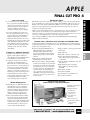
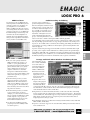
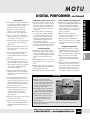
DP provides a range of
environments, besides the
Sequence Editor, for editing
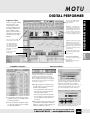
MIDI data including a Graphic
(piano style) Editor, an Event
List editor, a dedicated Drum
Editor and QuickScribe
(notation). This combination of
editors offers you the flexibility
of fine-tuning single MIDI
events, or make changes to
entire sections
◆
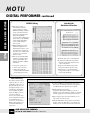
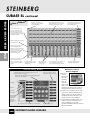
Multiple MIDI tracks can be
edited and displayed in one
Graphic Editor window – notes
for each track are displayed in
the track’s color. A track selector
list allows you to show/hide
tracks as desired
◆
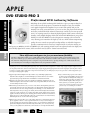
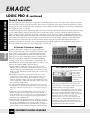
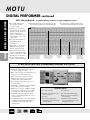
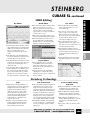
Three freely switchable MIDI
continuous controller editing
modes provide flexible and
intuitive automation of MIDI
instruments
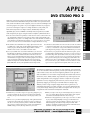
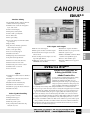
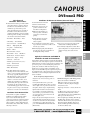
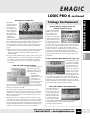
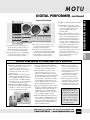
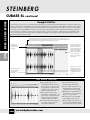
QuickScibe
Notation Window
1) DP’s classic ‘points’ mode
2) ‘Vision-style’ colored bars
3) Audio-style breakpoint
automation lines which intelligently interpolates CC data
Adjustable PPQ
The display resolution can be
adjusted to 480, 960, 1920 or
any number from 2 to 10,000
PPQ and each tick value can
be displayed with up to four
decimal places. For example,
if you normally edit MIDI
data at 480 PPQ, you can set
your edit resolution to
480.000 for 1000 times more
precision. With the resolution
at its maximum value of
10000.0000, you can nudge a
MIDI event by a little as one
one-hundred millionth of a
quarter note.
Print the whole score or individual parts
◆
Continuous scrolling moves the music
under the wiper which stays fixed to the
center of the window.
◆
Support for five different clefs: treble,
bass, grand staff, alto and tenor clefs.
◆ You
can choose a specific instrument
transposition as well as a score transposition for each instrument.
Non-Destructive MIDI Effects Plug-ins
ONE HOUR FREE PARKING
PHOTO - VIDEO - PRO AUDIO
◆
AT 349 W. 34th STREET (with purchase of $100 or more)
◆A
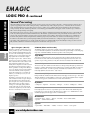
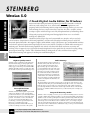
variety of MIDI processing plug-ins can be can be
inserted into the mixing board window and applied to
your MIDI tracks non-destructively in real time
◆
Bundled MIDI plug-ins include:
Arpeggiator; Echo; Remove Duplicates (gets rid of
duplicate events on the same tick); Transpose; and Shift
can all be applied non-destructively and in real-time
◆
Plug-in settings can be saved and recalled for use on
other tracks or in other sessions
◆
Realtime MIDI Effects can be ‘printed’, (destructively
applied) to the track. This allows you to add effects to
certain portions of a track, instead of the entire track