1
3-11 Tides
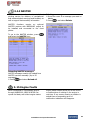
The Tides window is useful for boaters that
are concerned about the height of the water
or by fisherman that wish to know the tide
and moon phase of a specific date.
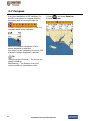
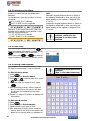
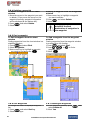
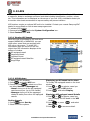
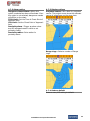
Displaying a tide information from the
chart window
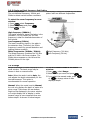
1 In the Chart window, press
.
2 Select Find and Tide station.
3 Press
or
to move cursor and select
a tide station
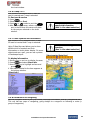
4 Press
,
,
or
to the position
of selected tide station and press
.
5 Select Tide height station to display the
information
6 Press
to exit.
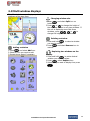
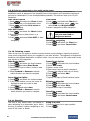
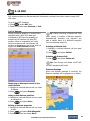
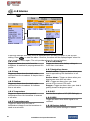
Displaying tide station information in
the tides window
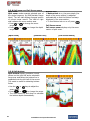
1 Press
and select Tides window.
2 Select Tide height station to display the
information.
3 Press
to exit.
Tip: The unit only displays the tide
information nearest your boat in the tides
windows.
Choosing the date of the tide
information.
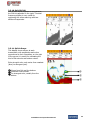
1 In the Tides window, Press
and
select one of the following options.
- Set date: manually set a date.
- Today: automatically set the date of
today.
- Next day: automatically set the date of
today.
- Prev day: automatically set the date of
yesterday
2 Press
to return to the window.
40
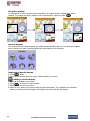
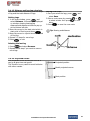
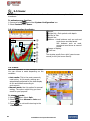
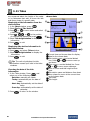
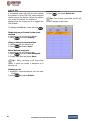
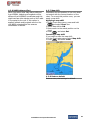
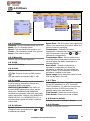
The tides window shows data for the
chosen date
⑥
⑦
①
②
⑧
③
⑨
④
⑤
① Current time and chosen date for display.
② Data for the chosen date.
③ Tide height cursor, a horizontal dotted
line. Press
or
to move cursor up
and down.
④ Time cursor, a vertical dotted line. Press
or
to move cursor sideways.
⑤ Time of cursor and tide height at that
time.
⑥ Tide station name and distance from boat.
⑦ Moon phase for moon at the current time
on the chosen date.
⑧ Tide chart.
⑨ Tide height.
Installation and Operation Manual