1
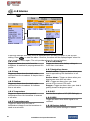
4-4 GPS Settings
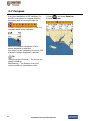
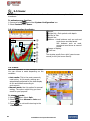
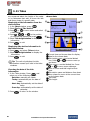
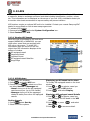
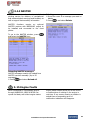
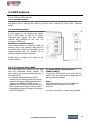
To go to the GPS settings:
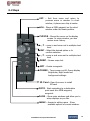
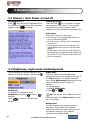
1 Press and hold
.
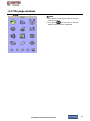
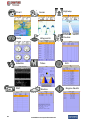
2 Select the GPS icon.
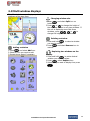
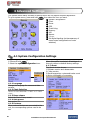
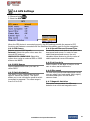
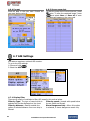
When the GPS device is connected properly, the GPS settings provide the access to GPS
functions and features connected with the satellites information used for further navigation.
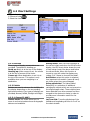
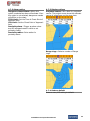
4-4-1 GPS Source
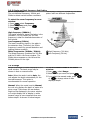
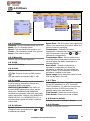
4-4-4 Speed Filter and Course Filter
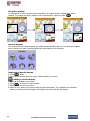
Select a source of GPS signals
Occasional waves and wind at sea affect the
Internal: Select this option when uses the
boat speed and course. In order to have
internal GPS antenna.
stable boat speed and course, the unit
NMEA0183 & NMEA2000: Select this
calculates these factors to give the value of
option when using an external GPS or DGPS
stable speed and course information.
antenna via NMEA.
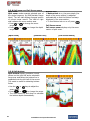
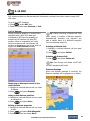
4-4-5 Lat/Lon d.p’s
4-4-2 DGPS Source
Select number of last digit of Lat/Lon to be
Select WAAS/EGNOS when you want to
sent to other marine electronics.
utilize DGPS.
4-4-6 Ship speed
4-4-3 Static Navigation
To have more precise boat speed and course,
This option is very useful when the boat
you can select your boat speed. Mid is highly
stops or moves very slowly. This option
recommended option for the most of
allows you to set a minimum speed at which
common boat.
movement is assumed. The value range is
from 0.00 to 9.99.
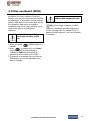
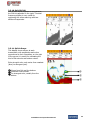
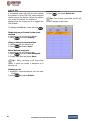
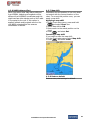
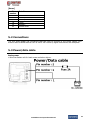
4-4-7 Magnetic Variation
This option compensates the difference
between true north and magnetic north.
Installation and Operation Manual
51