1
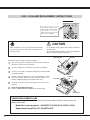
RESET "LAMP REPLACE COUNTER"
Be sure to reset the Lamp Replace Counter after the Lamp Assembly is replaced. When the Lamp Replace Counter is reset,
the LAMP REPLACE Indicator stops lighting.
1
Turn projector on, press MENU button and ON-SCREEN
MENU will appear. Press POINT LEFT/RIGHT button(s) to
move a red frame pointer to SETTING Menu icon (refer to
page 36, 37).
2
Press POINT DOWN button to move a red frame pointer to
“Lamp counter reset” and then press SELECT button. The
message "Lamp replace counter reset?" is displayed. Move
the pointer to [Yes] and then press SELECT button.
3
Another confirmation dialog box appears and select [Yes] to
reset Lamp Replace Counter.
On
On
Code 1
Move the pointer to Lamp counter reset and then press
SELECT button. The message “Lamp replace counter
reset?” is displayed.
NOTE : Do not reset the Lamp Replace Counter until after the Projection Lamp is replaced.
LAMP HANDLING PRECAUTIONS
This projector uses a high-pressure lamp which must be handled carefully and properly. Improper
handling may result in accidents, injury, or create a fire hazard.
Lamp lifetime may differ from lamp to lamp and according to the environment of use. There is no
guarantee of the same lifetime for each lamp. Some lamps may fail or terminate their lifetime in a
shorter period of time than other similar lamps.
If the projector indicates that the lamp should be replaced, i.e., if the LAMP REPLACE INDICATOR
lights up, replace the lamp with a new one IMMEDIATELY after the projector has cooled down.
( Follow carefully the instructions in the LAMP REPLACEMENT section of this manual. ) Continuous
use of the lamp with the LAMP REPLACE INDICATOR lighted may increase the risk of lamp explosion.
A Lamp may explode as a result of vibration, shock or degradation as a result of hours of use as its
lifetime draws to an end. Risk of explosion may differ according to the environment or conditions in
which the projector and lamp are being used.
IF A LAMP EXPLODES, THE FOLLOWING SAFETY PRECAUTIONS SHOULD BE TAKEN.
If a lamp explodes, disconnect the projector ’s AC plug from the AC outlet immediately. Contact an
authorized service station for a checkup of the unit and replacement of the lamp. Additionally, check
carefully to ensure that there are no broken shards or pieces of glass around the projector or coming out
from the cooling air circulation holes. Any broken shards found should be cleaned up carefully. No one
should check the inside of the projector except those who are authorized trained technicians and who are
familiar with projector service. Inappropriate attempts to service the unit by anyone, especially those who
are not appropriately trained to do so, may result in an accident or injury caused by pieces of broken
glass.
2
013-100237-02 Rev. 1 (02/07)