1
Useful adjustment settings
a
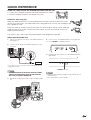
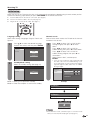
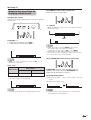
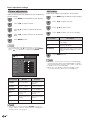
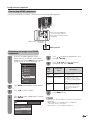
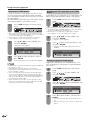
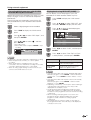
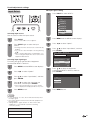
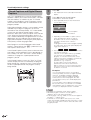
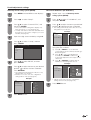
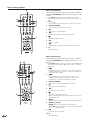
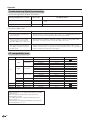
View Mode
Normal
Zoom
Stretch
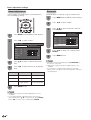
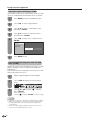
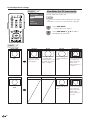
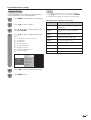
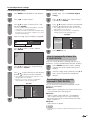
View Mode (for PC input mode)
You can select the screen size.
NOTE
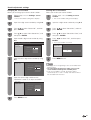
• Connect the PC before making adjustments. (See page
32.)
• Selectable screen size may vary with input signal type.
Dot by Dot
1
2
a
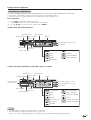
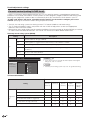
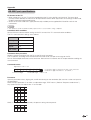
Screen size images.
Input signal
4:3
Input signal
16:9
50
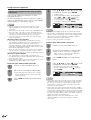
Normal
Keeps the original
aspect ratio in a full
screen display.
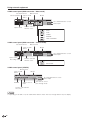
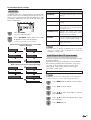
Zoom
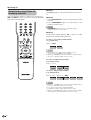
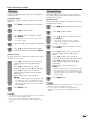
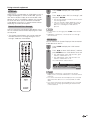
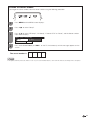
Press VIEW MODE.
• The View Mode menu displays.
Press VIEW MODE or a/b to select a
desired item on the menu.
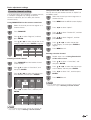
Stretch
An image fully fills the
For viewing widescreen programs. The screen.
top and bottom of the
image is cropped.
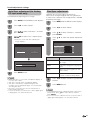
Stretch
Dot by Dot
Detects the resolution
of the signal and
displays an image
with the same
number of pixels on
the screen.
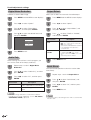
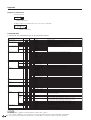
Dot by Dot
An image fully fills the Detects the resolution
screen.
of the signal and
displays an image
with the same
number of pixels on
the screen.