1
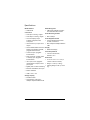
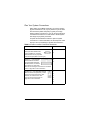
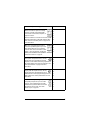
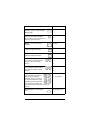
Specifications Model Numbers AVM-MC1-B Media Recognition Connections Audio Input: 3 analog, 1 digital Audio Output: 3 analog, 1 digital On-screen display output: S-VIDEO, Composite, VGA, Component Video sense loop: 4 inputs and 4 outputs AMG online CD/DVD recognition and media information service Audio Recording Formats MP3: 192kbps Audio Playback Formats Uncompressed WAV and PCM: 44.1kHz, 16 bit stereo MP3: 32kbps to 320kbps, CBR and VBR Serial: 2 RS232, DB9 connectors 2 Display RS232 3-wire, RS422 or RS485, Backlit LCD display pluggable terminal blocks Power Requirements Contact: 6 Inputs, pluggable 100-120 / 200-240 VAC, terminal blocks 60/50 Hz, 7/4 A Relay: 6 outputs, normally closed Dimensions or normally open, pluggable terminal blocks H x W x D: 5.2” x 17” x 15.9” (or IR: 4 inputs, 3-wire, pluggable terminal blocks 8 outputs, 3.5mm phone jacks ZigBee (802.15.4 mesh networking Ethernet 10/100baseT, RJ-45 jack Modem: Disabled USB: 1 front, 1 rear Storage Capacity 80 GB hard drive Approximately 1,000 CDs in 192kbps compressed MP3 format 12 132mm x 432mm x 404mm) Weight: 17.5 lbs. (or 7.95 kg) Shipping Weight: 23 lbs. (or 10.44 kg)