1
Do You Need Assistance?
Manuals
If you have additional questions and need further instruction or information, we provide electronic
manuals for:
1.
Using your ScanMaker i800 Plus Supplement
2. Using the ScanWizard Pro scanning software
3. Using the bundled third-party software
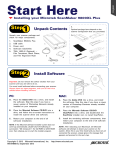
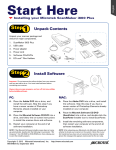
To access the electronic manuals: Insert the scanner’s software CD/DVD into your computer’s CD/
DVD-ROM drive. Next, locate and click the “Manuals” option when the software installer window
appears on your screen. Finally, select and click the title of the manual you wish to view.
Missing Items
If your package is missing items, please call Microtek Customer Service Department.
Drivers & Software Upgrades
After you finish the installation of software, if you found that the installed drivers and software cannot
run your product or your computer system properly later, please go to the Microtek Download Service
site at ww7.microtek.com.tw/service.php to download and install any updates you may require.
For additional information about Microtek products, please visit our website at www.microtek.com.
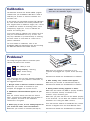
Power Adapter
Use only power supplies (AC/DC adapters) listed below:
Voltage
Manufacturer
Model No.
100V to 240V
WXUI HARD
HDAD38W101
NOTE: Please make sure that the electrical outlet to where the scanner will
be connected is nearby and readily accessible.
Copyright © 2013 Microtek. Microtek, ScanMaker, ArtixScan, ScanWizard and
ColoRescue are trademarks or registered trademarks of Microtek International, Inc. All
other trademarks or registered trademarks are the property of their respective holders.
Specifications, software and hardware bundles are subject to change without notice.
Delivery of technical support services subject to change without notice. Not
responsible for typographical errors.
8