1
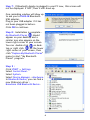
Step 7 : If Bluetooth dongle is plugged in your PC now, this screen will
not be displayed. If NOT, then it will show up.
One reminding window will show up
to ask you to PLUG IN Bluetooth
USB adapter.
Plug in your USB adapter if it has
not been plugged in before.
Click OK to continue.
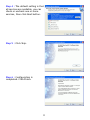
Step 8 : Installation is complete .
My Bluetooth Places
should
appear on your desktop and a
similar icon also appears on the
lower right corner of your screen.
You can double click
on desktop or right click
on the lower
right corner of your screen, then
click “Explore My Bluetooth Places”
menu to start ”My Bluetooth
Places” program.
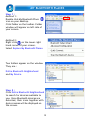
Step 9 :
Click START -> Settings.
Select Control Panel.
Select System.
Select Device Manager ->Hardware.
In Bluetooth Radios, you can find a
new Widcomm driver :
Broadcom USB Bluetooth Device.
6