1
DRIVER SUPPORT
Two Bluetooth drivers are supported under Windows XP (SP2) :
1).
Windows XP (SP2) native Bluetooth driver.
Windows XP (SP2) is supporting Broadcom USB Bluetooth dongle
now. The installation is simple and easy, just plug Bluetooth donge into
USB port of your PC, Windows XP will automatically find its driver for it.
Microsoft driver only supports limited Bluetooth profiles. You
can choose Widcomm driver for more advanced purposes.
2).
Widcomm Bluetooth driver.
After Windows XP (SP2) native Bluetooth driver is installed, you
also can install one additional Widcomm driver for advanced features,
such as supporting more Bluetooth profiles, easy and friendly user
interface...etc.
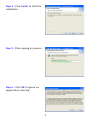
Put Widcomm Driver CD into CD drive of your PC, then install it.
Once Widcomm driver is installed, it will automatically take over
previous Windows XP native driver. Two drivers are co-existig in your
system now, but only Widcomm driver is enabled and Windows XP driver
is disabled.
Condition 1 : Windows and Widcomm drivers co-exist in your PC.
1). Plug Bluetooth dongle to your system first, get Windows XP driver
support.
2). Put Widcomm Driver CD into CD drive of your PC, then install it.
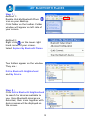
3). Refer to “Change Bluetooth Driver” section to learn how to change
driver between them.
Condition 2 : Only Widcomm driver exists in your PC.
1). DO NOT plug Bluetooth dongle to your system first.
2). Put Widcomm Driver CD into CD drive of your PC, then install it.
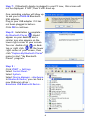
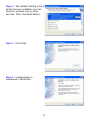
During installation, it will ask you to plug in dongle, please do it to complete the installation.
Now, you have only one Widcomm driver existed in your system. It is
impossible to turn on Windows native driver. Unless you remove
Widcomm driver, then follow steps 1 to 3 in Condition1 to have both
drivers supported.
2