1
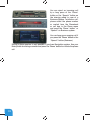
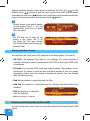
• Files, Artists, Albums, Titles, Bookmarks (for
USB only): Provides browsing and selecting the
music files on your USB device
• Music (for iPod only): Allows browsing and
selecting music in the sub-menus: Playlist,
Artists, Albums, Titles, Genres, Composers,
Audiobooks, PodCasts.
When an artist is selected the PLAY menu item
plays all the songs from the given artist, the ALL
menu lists all the songs from the given artists. The
albums from the artist are listed as separate items
afterwards.
When an album is selected, all the songs from the given album are listed as
separate items afterwards.
The following menu items available in the main menu serve as specific
functions for music playback:
• Play All: plays all the music from the selected source. The playback starts
from the first song on the device
• Album play: Plays the full album of the song being played, typically used
when in random play mode
Settings menu
Hotkey function
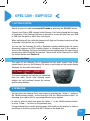
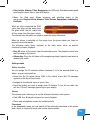
You can assign the CD selector buttons (between 2-5) to the desired folder e.g.
album, song or menu position.
• Select the Set CD option (press FFW) in the Hotkey menu (Set CD message
appears on the top of the screen)
• Navigate to the desired menu or music item
• Press the hotkey you want to assign from CD buttons 2-5 on the car radio.
You will see ‘CDx set’ message appearing on your display.
Volume
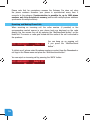
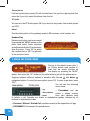
The volume menu allows you to set the different volumes in the system:
• iPod, USB, Aux, Bluetooth volumes for music playback
• Phone and microphone volume for handsfree calls
Phonebook
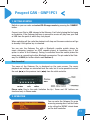
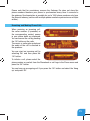
In the phonebook menu you can switch off the automatic download of the phone
book, which is required to work with certain phone models.
5