1
Gigaset SE361 WLAN / englisch / A31008-M1067-R101-1-7619 / admin_router.fm / 30.10.2006
Status information
Schablone 2004_12_27
Local Network
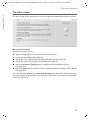
On the Local Network screen in the Status menu you will find information about the
settings for your local network.
u IP address
Shows the local IP address of your device.
u Subnet mask
Shows the subnet mask used in the local network.
u MAC address
Shows the local MAC address of your device for wired data transmission.
u DHCP Server
– Status
Shows the status of the DHCP server for your device for automatic assignment of
IP addresses to clients in your local network.
u DHCP clients
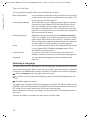
Shows all clients in your network that have been assigned an IP address. The Host
name and the MAC address of each client are listed for identification. You are also
given information about the IP address assigned to each client as well as the
remaining Lease time for the IP address before the client is assigned a new address
by the DHCP server.
ì Click on Refresh to refresh this screen and update the displayed data.
Wireless Network
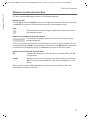
On the Wireless Network screen in the Status menu you will find information about
the settings for your wireless network.
u Status
Shows the status of the connection between your device and the wireless network.
u SSID
Shows the identity of your wireless network.
u Channel
Shows the radio channel currently used for transmitting data within your wireless
network.
u MAC address
Shows the local MAC address of your device for wireless data transmission.
u Wireless clients
Shows all clients in the wireless network that are currently connected to your device.
The Host name, the MAC address and the IP address of each client are listed for
identification purposes. You will also see information about the Uptime to date of
the current connection for each client in your wireless network.
74