1
Arming Function
System Operation: Home/Sleep/Away, or All/Perimeter.
You can use the Arming shortcut keys, 1, 3, 6, and 7 when the
system is disarmed. You may be prompted to enter your user code.
If any zones are faulted, select force arm or bypass. Refer to the
Arming Section for detailed arming operation.
Home/Sleep/Away Arming
Arm Home — Press 3 for 2 seconds to arm the perimeter.
Arm Sleep — Press 7 for 2 seconds to arm the perimeter and
interior areas and leave the bedroom area off.
Arm Away — Press 1 for 2 seconds.
All/Perimeter Arming
Arm Perimeter — Press 6 for 2 seconds.
Arm All— Press 1 for 2 seconds.
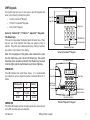
Sensor (Fire) Reset Function
System Operation: Area, Home/Sleep/Away, or All/Perimeter.
You can use the Sensor (Fire) Reset, shortcut key 2, when the
system is armed or disarmed. When pressed, detectors that have
latched due to an alarm condition are now restored and returned
to normal function. The keypad displays SENSORS ON and SENSORS
OFF to acknowledge the shortcut key press.
Note: You are prompted to enter your User Code on Area or All/
Perimeter systems.
Arming and Disarming
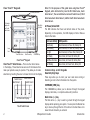
Monitor (Chime) Function
System Operation: Area, Home/Sleep/Away, or All/Perimeter.
You can use the Monitor (Chime), shortcut key 5, when the system
is disarmed. When pressed, the Zone Monitor operation is initiated.
As needed, refer to the Zone Monitor section. The keypad displays
MONITOR ON and chimes or displays MONITOR OFF and no tone is
sounded.
Note: The Monitor (Chime) shortcut key applies to all Exit zones
in an Area system and to all zones assigned to the perimeter in a
Home/Sleep/Away or All/Perimeter system.
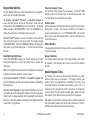
Check-in Report (Latch Key) Function
System Operation: Area, Home/Sleep/Away, or All/Perimeter.
You can use the Check-in Report (Latch Key), shortcut key 4, to
have a Check-in Report sent to your alpha or numeric pager. This
Shortcut Key does not operate if a pager is not programmed. Refer
to Appendix D for Pager Direct™ information.
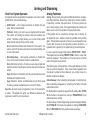
Easy Exit™ Function
System Operation: Home/Sleep/Away.
You can use the Easy Exit, shortcut key 8, when the system is
armed, to restart the exit delay allowing you to exit the premises
without disarming the system. For example, to let a pet out or
retrieve the newspaper. After the exit delay time expires, the
system automatically rearms.
You can also press the Easy Exit, shortcut key 8 again, to cancel the
exit delay countdown. For example, the telephone rings before
you retrieve the newspaper so you press shortcut key 8 to rearm
the system.
XRSuper6 User’s Guide
17