1
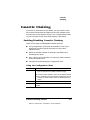
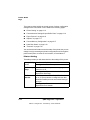
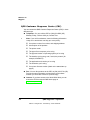
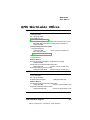
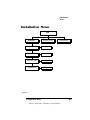
Testing PC-Printer
Communication
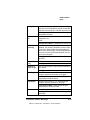
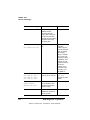
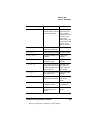
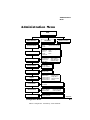
Press this
key...
to...
The message window
reads...
Online/
Offline
Turn off the Ready indicator and
enable printer configuration.
IDLE
Menu
Access the configuration menu.
CONFIGURATION
OPERATOR CONTROL
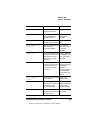
Next
Advance to the Administration
menu.
CONFIGURATION
ADMINISTRATION
Select
Access the Administration menu. ADMINISTRATION
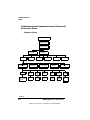
COMMUNICATIONS
Select
Access the Communications
menu.
COMMUNICATIONS
TIMEOUTS
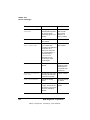
Next
Advance to the Serial menu.
COMMUNICATIONS
SERIAL
Select
Access the Serial menu.
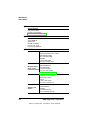
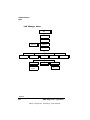
SERIAL
MODE
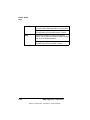
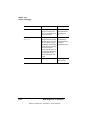
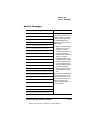
Next (one or Advance to the Baud Rate menu. SERIAL
more times)
BAUD RATE
Select
Access the Baud Rate menu.
BAUD RATE
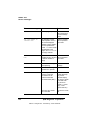
*9600
Next (one or Advance to the correct baud rate. BAUD RATE
more times)
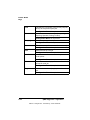
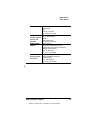
#
Select
Select the displayed baud rate.
#
IS SELECTED
SERIAL
BAUD RATE
»
Note: If you need to change other settings, press the Next key to access
the appropriate menu option, and then return to the point where you
press the Select key to access the Administration menu and select the
new settings.
Troubleshooting Printer Problems
EDNord - Istedgade 37A - 9000 Aalborg - telefon 96333500
8-17