1
Image Defects
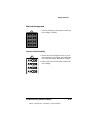
Irregular Print
1 The paper being used may have absorbed moisture (perhaps due to high humidity or having
water spilled on the paper supply). Toner does
not adhere well to paper at the positions where it
has become wet. Replace the paper in the tray
or cassette with dry paper, and retest for irregular print.
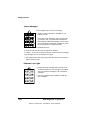
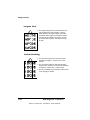
Vertical Streaking
1 The laser lens may be dirty. Clean the lens as
described in chapter 5, “Printer Care,” of this
manual.
2 The corona wire inside the OPC belt cartridge
might be dirty. Clean the corona wire as described
in chapter 5, “Printer Care,” of this manual.
3 The toner cartridge may be defective. Install a new
toner cartridge, if needed.
8-36
QMS magicolor 2 Operation
EDNord - Istedgade 37A - 9000 Aalborg - telefon 96333500