1
AS3000UG.book Page 36 Tuesday, June 25, 2002 12:19 PM
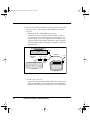
2. Slow is compatible with all machines and most applications. It
is recommended especially if you are using a Mac Classic, an
Apple IIGS or a PC AT (286).
3. Faster (the default speed), and is recommended for the Mac LC
or for 386- and 486-based PCs.
4. Fastest provides the quickest transfers. However, some word
processing programs may experience a loss of data when files
are transferred using this mode, so you may wish to experiment
to see which speed works best for you.
Note: The keyboard control panel in your Macintosh system may also
need to be adjusted to a faster setting.
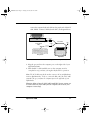
If you are using a Mac, you can significantly speed up the transfer of
data (approximately six times faster) by using TurboTransfer software
(see the section “TurboTransfer Software” later in this manual).
Send speed for Mac
• 1.25 pages per minute (set at speed 4, sending to AppleWorks
on a Power Mac).
• With TurboTransfer: 8 pages per minute.
Send speed for PC
• 5 pages per minute (set at speed 4, sending to Windows Write,
on a 486).
36
Transferring Text to a Computer