1
User guide
Cisco TelePresence System Profile Series, Codec C Series, Quick Set C20, SX20 Quick Set, MX200, MX300
Contents
Contents
Getting started
What’s in
this guide?
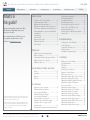
The top menu bar and the entries in the Table
of Contents are all hyperlinks. Just click on
them to go to the topic.
We recommend that you visit the Cisco web
site regularly for updated versions of this
guide. Go to: http://www.cisco.com
Placing calls
Using directories
In-call features
Getting started
The basics of the Touch Controller......................... 4
Selfview and camera control.................................. 5
Adding a near end camera preset.......................... 6
Changing an existing near end camera preset....... 7
Removing an existing near end camera preset...... 8
Camera whitebalance, exposure, and backlight
compensation......................................................... 8
Sound matters........................................................ 9
Receiving calls........................................................ 9
Ring tones and sounds........................................... 9
Calling the Help Desk.............................................. 9
Do not disturb......................................................... 9
Placing calls
Calling someone by entering the name,
address or number............................................... 11
Searching and calling an entry in any of the lists..... 12
Calling an entry in one of the lists......................... 13
Calling more than one........................................... 14
Using Favorites, Directory and History
History................................................................... 16
Searching.............................................................. 16
Directory............................................................... 16
Favorites............................................................... 16
In-call features
This document describes the use of the Cisco TelePresence Touch
with the Cisco TelePresence System Profile Series, Codec C Series,
MX200 SX20 Quick Set and Quick Set C20.
For a description of the use of these video systems with the remote
control Cisco TRC5 (not applicable to the MX200 / MX300), we refer
to the TC5 User Guide, Remote control version, which is available
separately for download.
Features in a call—an overview............................. 18
Calling participants to add them
to an ongoing call (Multisite)................................. 19
Calling participants to add them
to an ongoing call (Multiway™)............................... 20
Receiving another incoming call........................... 21
Putting Far end on hold and back again............... 21
Putting a member of a group on hold
and back again...................................................... 22
Putting an entire group on hold and back again... 22
D14582.09 User guide Profile Series, Codec C Series, Quick Set C20, SX20 Quick Set, MX200, MX300
All contents are copyright © 2010–2012 Cisco Systems, Inc. All rights reserved. Version TC5.1, 02.2012
2
Scheduled meetings
Settings
Transferring an ongoing call.................................. 23
Transferring a member of
an ongoing conference......................................... 24
Near end camera control...................................... 25
Far end camera control (in a call only).................. 25
Using Touch Tones (DTMF) in a call...................... 25
Near end camera presets..................................... 25
Sharing contents—conducting presentations........ 26
Layout control....................................................... 27
Scheduled meetings
Looking into the List of Meetings.......................... 29
Joining a Meeting................................................. 30
Joining while already in a call............................... 30
Parallel meetings.................................................. 30
Extending an ongoing meeting............................. 30
The Settings
Gaining access to the Settings............................. 32
System Information............................................... 33
Call Status............................................................. 34
Language.............................................................. 35
Camera Control & Settings................................... 36
Ringtone & Sound Settings................................... 37
Main source selection........................................... 38
Administrator settings—Date, Time & Location...... 39
Administrator settings—Call settings..................... 40
Administrator settings—IP settings for the codec....... 41
Administrator settings—IP settings for
the Touch controller.............................................. 42
Administrator settings—Pairing.............................. 43
Administrator settings—H.323 settings................. 44
Administrator settings—SIP settings...................... 45
Administrator settings—Provisioning..................... 46
Administrator settings—Multiway Settings............. 47
Administrator settings—Web Snapshots............... 48
Administrator settings—EMC Resilience mode...... 49
Administrator settings—Reset................................ 50
Administrator settings—Restart system................. 51
www.cisco.com