1
akes it easy to take your music
tooth® wireless connectivity and
mple to use, with a UV and waterg, the basketball court, even on a
wallet, keys, etc., even for your
you can relax and enjoy.
Powering the Speaker System
Powering the Speaker
There are two options to power your wireless speaker: using the included AC power adapter or
using 6 AA batteries (not included).
operating instructions for making
art of your lifestyle. If, after having
all toll-free 1-800-732-6866 or visit
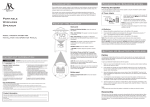
ring indicator shows the status
ng: The speaker is on but not
ted (like when you turn the
he first time).
ng: The speaker is in Bluetooth
e the Bluetooth Setup section for
n.
peaker is paired with a Bluetoothnd ready to play audio.
auxiliary audio input is selected.
e Auxiliary Input section for more
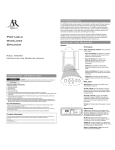
es the small round end of the
00mA AC power adapter; remove
cover to insert the adapter.
is held in place by two metal bolts
against the elements. See the
es section for instructions on
batteries.
ker on and off (press and hold for
o toggles between Bluetooth and
r the audio signal (press).
eaker in pairing mode for
(press and hold for 3 seconds). It
fast reconnect with devices that
tion (press). See the Bluetooth
more information.
ttons adjust the speaker’s volume
t houses the built-in cable
y input. It also offers a closed
nnected device or other items. See
put section for more information.
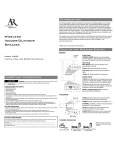
AC Power Adapter
Speaker
(side panel)
1.
AC Power
Adapter
120V AC
wall outlet
Insert the small, round plug from the speaker AC
power adapter into the DC IN jack on the side panel
of the speaker.
2. Plug the other end of the speaker AC power
adapter into any standard 120V AC wall outlet.
Note: The power unit should be plugged in so that it
stays vertical or lies flat.
AA Batteries
1. Twist the bolts on the bottom of the speaker counter-clockwise to loosen them completely.
2. Remove the bottom of the speaker to access the battery compartment.
3. Insert six (6) AA batteries (not included) into the battery compartment, following the polarity
diagrams (+ and –).
4. Line the bolts on the compartment door up with the holes on either side of the battery
compartment and place the speaker bottom back on the speaker.
5. Screw the bolts back in and tighten them.
Note: Place the rubber cap in the speaker power input jack when using batteries.
DO NOT mix batteries with different chemistry types (for example, a zinc battery with an alkaline
battery). DO NOT mix new and used batteries. DO NOT leave batteries installed in the product when
not in use for long periods. Always remove old, weak or worn-out batteries promptly and recycle or
dispose of them in accordance with local and national regulations.
Setting Up Bluetooth Wireless
Pairing
Any Bluetooth-enabled device that you wish to stream audio to your speaker system must first
be paired to the speaker. The process is simple, and in most cases the pairing process needs to
be done only once.
To pair your Bluetooth-enabled device with the speaker:
1. Make sure your device’s Bluetooth is turned on. See the wireless and/or network settings
menu on your device to check.
2. If the speaker isn’t already on, press and hold the button for 3 seconds to turn it on. You
will hear 4 beeps to indicate the speaker is turned on. The indicator light on the front of the
speaker starts flashing blue.
3. Press and hold for 3 seconds the Pair button to enter pairing mode. You will hear 2 beeps
to indicate pairing mode is entered. The indicator on the front of the speaker starts blinking
faster.
4. Open the Bluetooth settings menu on your device. Select “AWSBT1” from the list of devices
available (you might have to scan for devices). If your device asks for a password, enter
“0000”.
5. A confirmation screen will appear on your device once the speaker and the device are
successfully paired. The blue indicator turns solid blue to indicate successful connection.
The speaker is now ready for you to stream audio from your device.
6. Turn the volume on your device to at least 3/4 max, then start playing something on the
device. Control the speaker volume on the speaker itself, using the +/– buttons on the top
of the speaker.
Note:
• If you notice the sound from the speaker is distorted, turn down your device’s volume.
• You will hear a beep if you turn the speaker’s volume up to the maximum.