1
Migrating a Media Indexer
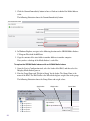
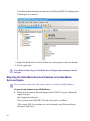
3. Click the Configure button at the bottom of the Avid Interplay Media Indexer area.
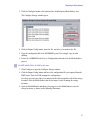
The Configure Storage window opens.
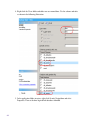
4. Click the Export Config button, name the file, and select a location for the file.
5. Copy the configuration file to the AS3000 MI system. For example, copy it to the
desktop.
6. Locate the AS3000 MI in the Service Configuration tool and select the Media Indexer
process.
n
Do NOT add the MI to the HAG at this time.
7. Click Configure to open the Configure Storage window.
8. Click the Import Config button and locate the configuration file you exported from the
HAG leader. Then click OK to import the configuration.
On a large system it may take a few minutes for the table to populate with all the storage
locations. After the Media Indexer has the locations, it starts scanning the storage
locations.
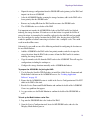
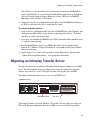
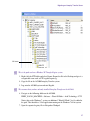
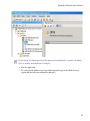
9. Open the Health Monitor and observe the progress as the Media Indexer scans the
storage locations, as shown in the following illustration.
21