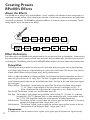
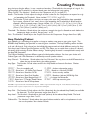
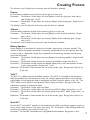
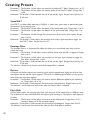
1
Introduction
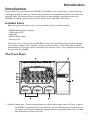
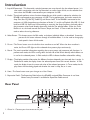
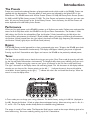
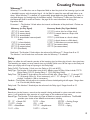
2. Amp A/B Footswitch - This footswitch switches between two amp channels for the selected preset. It is
also used in conjunction with the Up Footswitch, to access Learn-A-Lick, or the recorder functions when the RPx400 is connected to your computer via USB.
3. Knobs - These knobs perform various functions depending on which mode is selected or whether the
RPx400 is connected to your computer via USB. During performance, the knobs control the
Amp Gain, Bass EQ, Mid EQ,Treble EQ, and Master Level. If the RPx400 is connected to the
computer via USB, the performance functions of knobs 2, 3, and 4 are Playback Mix, USB 1-2 Send
Level, and USB 3-4 Send Level. When editing or accessing the Setup functions, the knobs adjust
the parameter values listed directly above each knob for the selected effect. When the Drum
Machine is on, the knobs control the Pattern,Tempo, and Level. In Tuner mode, the knobs are
used to select the tuning reference.
4. Select Button - This button enters the Edit mode, and selects individual effects to be edited. Successive
presses of this button advances through all available effects. It is also used to change playback speed in Learn-A-Lick mode.
5. Drums - The Drums button turns the built-in drum machine on and off. When the drum machine is
active, the Drums LED lights and the selected drum pattern plays continuously.
6. Matrix - The matrix provides information regarding the current preset, and parameter edit functions. In
performance mode, the LEDs running down the left side of the Matrix identify which effects are
in use for the selected preset. In Edit mode, the LEDs indicate the effect selected for editing.
7. Display - The display provides information for different functions depending on the mode that is active. In
Performance mode, the display shows the selected preset name and numeric location. In Edit
mode, the display shows the name and value of the selected parameter. In Tuner mode, the display shows the note being played and whether the note is sharp, flat, or in tune.
8. Store - The Store button saves your changes to a User Preset.
9. Expression Pedal - The Expression Pedal adjusts the RPx400’s assigned Effect Parameter in real time.
Almost every Parameter is available for Expression Pedal control.
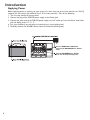
Rear Panel
1. Guitar In - Connect your instrument to this jack.
2