1
Installation and Operation Manual
Chapter 4 Configuration
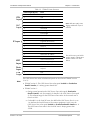
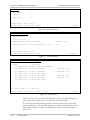
Select Access, and specify the user’s access methods (ASCII terminal,
Telnet, Web browser, Telnet and Web browser, or all of them).
Select 'su' password, and enter your current superuser password.
Select New password, and assign a password to a new user name.
Select Confirm and re-enter the new user password to confirm it.
Save new settings by typing S, when asked.
To delete an existing user:
•
From the User Access menu, do the following:
Type F or B to display a user that you intend to delete.
Select 'su' password, and enter your current superuser password.
Type D to delete the current user.
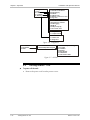
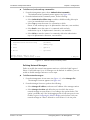
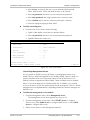
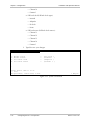
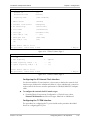
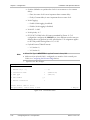
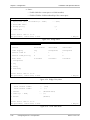
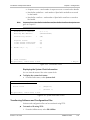
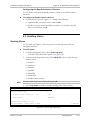
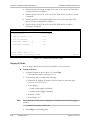
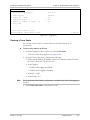
Configuration>System>Management>Management access>User access
1. User name
... (su)
2. Permission
>
(Full Control)
3. Access
>
(All)
4. 'su' password
... ()
5. New password
... ()
6. Confirmation
... ()
>
Please select item <1 to 6>
ESC-prev.menu; !-main menu; &-exit
1 Mngr/s
Figure 4-9. User Access Menu
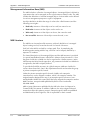
Controlling Management Access
You can enable or disable access to the IPmux-11 management system via an
SNMP, Telnet or Web-based application. By disabling SNMP, Telnet or Web, you
prevent unauthorized access to the system when security of the IPmux-11 IP
address has been compromised. When SNMP, Telnet and Web access is disabled,
IPmux-11 can be managed via an ASCII terminal only. In addition, you can limit
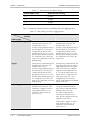
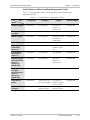
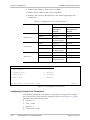
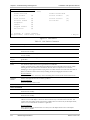
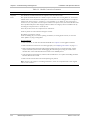
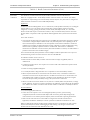
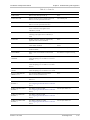
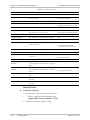
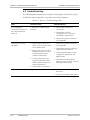
access to the device to only the stations defined in the manager list. Table 4-1 details
management access implementation, depending whether the network managers are
defined or not.
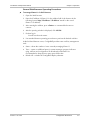
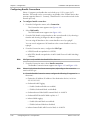
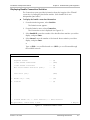
To define the management access method:
1. From the Management menu, select Management Access.
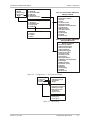
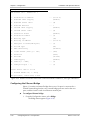
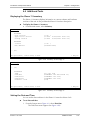
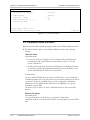
The Management Access menu appears (see Figure 4-10).
2. From the Management Access menu, select TELNET Access to configure
Telnet access, select SNMP Access to configure SNMP access, or select WEB
Access to configure Web access.
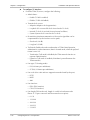
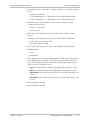
3. Define access mode for each management method:
IPmux-11 Ver. 2.00
Configuring IPmux-11 for Management
4-9