1
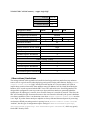
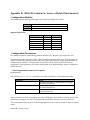
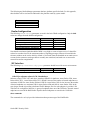
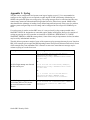
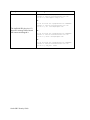
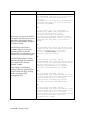
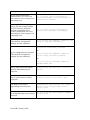
A few of the general rules for Realm design include: Separate endpoints into realms based on trust level (high, medium, low) and that the response to detected abuse is appropriate for them (no action, demotion or blocking) Create multiple realms for endpoints based on the type of device – a user endpoint, a gateway, or a peer - since they will have very different considerations for SIP Header Manipulation, trust, signaling thresholds, endpoints behind NAT, and CAC. Consider increasing the deny-period from 30 seconds to something longer depending on how much abuse it is believed will be received from a public network and what type of delay users may tolerate. Set restricted-latching to sdp so only media received from the IP and port negotiated in signaling will be allowed. Pay close attention to the media management settings required for the endpoints and traffic flows (see the mm- parameters on the realm). If one way-audio is experienced this is one place to start investigating. Management Interfaces The Oracle SBC has two types of interfaces, one for management and the other for signaling and media (otherwise known as services interfaces). Security configuration for each interface is treated separately. Two management interfaces allow access to the SBC for configuration, monitoring and troubleshooting purposes; a serial (console) interface and an Ethernet interface for remote management (wancom0). Serial (Console) Interface As with any industry standard serial interface to a network element, minimal security functions are available. The physical security of the installation location should be assured since console access cannot be blacklisted. However, the Admin Security license (discussed later) does allow for the console port to be disabled. To avoid unauthorized access to the console interface the console-timeout should be configured to automatically disconnect the console session after an appropriate period of time (i.e. 300 seconds). Timeouts are disabled by default. If the console port detects a cable disconnect it will also log out any logged in user to prevent unauthorized use. The console interface should only be connected to a terminal server if the terminal server is deployed in a secure non-public network. Configuration is detailed in Section 3 “System Configuration” of the ACLI Configuration Guide. Management Port Configuration The Wancom0 management interface MUST be connected to and configured on a management network or subnet separate from the service interfaces. If it is not, the SBC is subject to ARP overlap issues, and loss of system access when the network is down or under DDoS attack. Oracle does not support SBC configurations with management and media and service interfaces on the same subnet. Configuration is detailed in Section 2 “Getting Started” and Section 3 “System Configuration” of the ACLI Configuration Guide. Oracle SBC Security Guide