1
Red Hat Enterprise Linux 4 Virtual Server Administration
Note
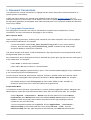
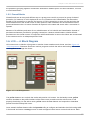
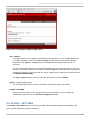
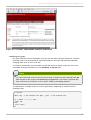
If an external program is entered in the Sending Program field, then the Send field is
ignored.
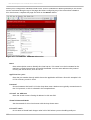
Send
Enter a string for the nanny daemon to send to each real server in this field. By default the
send field is completed for HT T P. You can alter this value depending on your needs. If you
leave this field blank, the nanny daemon attempts to open the port and assume the service is
running if it succeeds.
Only one send sequence is allowed in this field, and it can only contain printable, ASCII
characters as well as the following escape characters:
\n for new line.
\r for carriage return.
\t for tab.
\ to escape the next character which follows it.
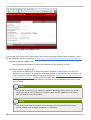
Expect
Enter a the textual response the server should return if it is functioning properly. If you wrote
your own sending program, enter the response you told it to send if it was successful.
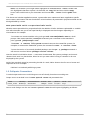
Note
T o determine what to send for a given service, you can open a telnet connection to
the port on a real server and see what is returned. For instance, FT P reports 220 upon
connecting, so could enter quit in the Send field and 220 in the Expect field.
Warning
Remember to click the ACCEPT button after making any changes in this panel. T o make sure you
do not lose any changes when selecting a new panel.
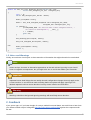
Once you have configured virtual servers using the Piranha Configuration T ool, you must copy
specific configuration files to the backup LVS router. See Section 4.7, “Synchronizing Configuration Files”
for details.
4.7. Synchronizing Configuration Files
After configuring the primary LVS router, there are several configuration files that must be copied to the
backup LVS router before you start LVS.
T hese files include:
48