1
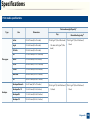
Copy menu
1
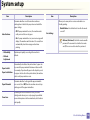
Item
Copy feature
Description
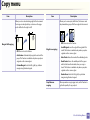
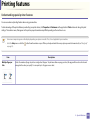
Reduces or enlarges the size of a copied image (see
"Reduced or enlarged copy" on page 56).
Some menus may not appear in the display depending on options or
models. If so, it is not applicable to your machine (see "Menu overview" on
page 29).
Reduce/Enlarge
If the machine is set Eco mode, reduce and
enlarge features are not available.
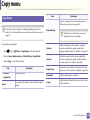
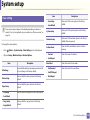
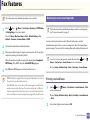
To change the menu options:
•
Press
•
Or press Setup > Machine Setup > Default Setting > Copy Default.
•
(copy) >
Item
Description
Sets the image size.
• Original Size
Copies
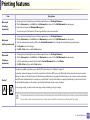
Contrast
Adjusts the contrast level to scan an original that is
easier to read, when the original contains too faint or
too dark contents (see "Contrast" on page 55)
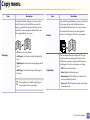
Original Type
Improves the copy quality by selecting the document
type for the current copy job (see "Original" on page 55)
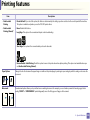
Orientation
Sets the original image’s orientation.
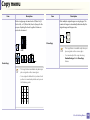
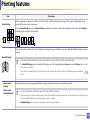
Layout
Adjusts the layout format such as poster, clone, ID copy,
2/4-up, booklet, etc.
(Menu) > Copy Feature on the control panel.
Or press Copy > select the menu item.
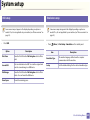
• Scan Size
Darkness
Adjusts the brightness level to make a copy that is
easier to read, when the original contains faint
markings and dark images (see "Darkness" on page 55)
You can enter the number of copies using the number
keypad.
3. Useful Setting Menus
180