1
Calling Features
Remove Conference Participants
Remove Conference Participants
Procedure
Step 1
Step 2
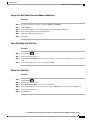
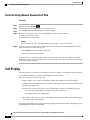
While in a conference, press Show Details.
Highlight the participant that you want to remove, then press Remove.
Divert
Divert allows you to send an active or ringing call to your voicemail system or to a predetermined phone
number (set up by your system administrator).
Divert Call
You can silence the incoming (ringing) call. Press Volume
down once, then let the incoming call
go to the target number (voicemail or predetermined number set up the system administrator).
Procedure
Step 1
To redirect an incoming (ringing) call while on another call, use the Navigation
Step 2
Step 3
pad to highlight the incoming call, then press Divert. Otherwise press Divert to redirect the current, active
call.
To redirect an incoming call while not on a call, press Divert.
To redirect a held call, first resume the call and then press Divert.
Do Not Disturb
Do Not Disturb (DND) allows you to turn off either:
• The ringer on your phone
• The ringer and any visual notification that you have an incoming call
When DND is enabled, your incoming calls forward to another number, such as your voicemail, if it is set up
and the call is not saved or listed in your Call History.
The DND feature affects all lines on a phone. The feature does not affect intercom or 911 calls.
Your system administrator sets up a line button or softkey on your phone for DND with the ringer and visual
notifications off by default. However, you can change your DND options from your User Options web pages.
Cisco Unified IP Phones 8941 and 8945 User Guide for Cisco Unified Communications Manager 9.0 (SCCP and SIP)
53