1
3
Troubleshooting
This chapter describes guidelines for battery replacement, ISA restrictions, and initial as
well as some detailed troubleshooting for your Compaq Professional Workstation XP1000.
Refer to the documentation supplied with additional options if you experience problems
with specific options that you have installed.
Battery Guidelines
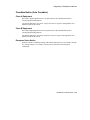
When replacing batteries in this system, use only batteries that are compatible with the
product’s electrical requirements and recharging circuitry, if applicable. Consult your
local Compaq Service Center for information and proper servicing.
WARNING: Lithium batteries are subject to special precautions. There is a danger
of explosion if the battery is incorrectly replaced. Replace only with the same or
equivalent type recommended by the manufacturer.
Recycle or dispose of batteries contained in this product properly, in accordance with local
regulations for the battery type, as marked on the battery. Prior to disposal or recycling,
protect batteries against accidental short-circuiting by affixing nonconductive tape across
the battery terminals or conductive surfaces.
If the battery is not marked, or if you require further information, consult your nearest
Compaq Service Center.
Keep batteries away from children.
ISA Restrictions
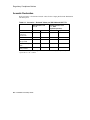
There are certain restrictions regarding the use of IRQs in the Professional Workstation
XP1000 system.
3-1