1
Chapter 9
Troubleshooting the SNMP Manager
Procedure for Troubleshooting
This chapter provides troubleshooting hints for problems you may encounter when
trying to manage the MultiSwitch 300 using an SNMP management system.
•
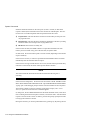
If your SNMP manager has trouble communicating with the SNMP Agent in the
switch, check your SNMP configuration parameters.
Your Network Administrator can help determine if your IP configuration (IP address.
netmask, and broadcast address) is correct. If the SNMP management workstation is
on a different network, be sure that you defined an appropriate default gateway IP
Address (see Chapter 7, IP Commands).
•
Check the community string configuration by using the get-comm * command.
•
If you are not receiving any traps, check that you entered the network management
workstation address in the trap receiver table correctly. Display the table using the
get-trap-tbl command. Check that both the IP address and the community string
are correct.
•
If the network management station does not receive authentication failure traps,
check for the authentication mode using the get-auth command.
•
Check that you have a correct physical connection to the switch. Test that the
switch port is configured with the desired physical interface: TP or AUI. If you are
using the TP interface, check the LINK status.
•
Test the connection to the network management station by pinging it. Use the
Administrative Interface: ping <IPaddress> <count-number>.
•
If the network’s physical topology has changed recently (for example, a network
management station has been moved from one segment to another), the ARP
cache may be out of date. You can use the del-arp-entry command to flush the
cache.
Troubleshooting the SNMP Manager 9-1