1
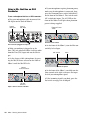
4 Set your instrument’s volume to its optimal
Using S/PDIF Input
level. For example, the optimal level for most
keyboards is between 80% and 100% of maximum volume.
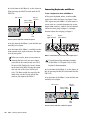
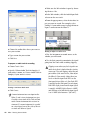
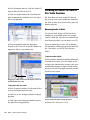
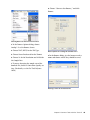
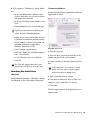
To configure Pro Tools to record from a S/PDIF
device:
5 On the front of the Mbox 2, carefully turn the
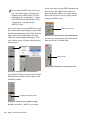
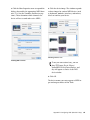
1 Choose Setups > Hardware Setup.
Gain control to the right to increase the input
level of your keyboard.
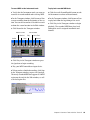
2 Choose S/PDIF from the Clock Source selector.
Digital Input and Output
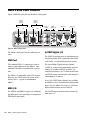
Mbox 2 provides digital inputs and outputs for
S/PDIF format digital audio. The two channels
of S/PDIF digital input can be used in combination with the two analog inputs (for a total of
four simultaneous input channels).
Connecting Digital Devices
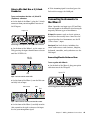
To connect a S/PDIF device to Mbox 2:
1 Use two 75-ohm coaxial cables with male RCA
connectors on both ends (purchased separately).
On the front panel, the S/PDIF LED lights to indicate this setting.
3 Click OK.
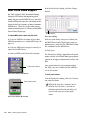
4 On the recording track, choose the appropri-
ate stereo or mono S/PDIF source from the track
Input selector.
S/PDIF Mirroring
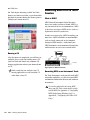
Pro Tools LE uses S/PDIF mirroring to automatically “mirror” the audio that is sent to Line Outputs 1 and 2 on the S/PDIF RCA outputs. This is
useful, for example, if you are monitoring a mix
using your Line Outputs, and also recording the
same source to an external S/PDIF device.
2 Connect the device’s S/PDIF output to
Mbox 2’s S/PDIF input port, and the device’s
S/PDIF input to Mbox 2’s S/PDIF output port.
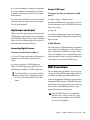
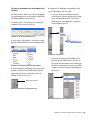
To configure Mbox 2 to record from a digital
source, choose Setups > Hardware Setup in
Pro Tools, then select S/PDIF in the Clock
Source.
MIDI Connections
The two MIDI ports on Mbox 2 let you take advantage of all the MIDI features of Pro Tools LE,
including recording and editing MIDI tracks.
If you need additional MIDI ports you can add a
compatible MIDI interface. USB MIDI interfaces
work effectively with Pro Tools systems on Windows or Mac. Serial MIDI interfaces are supported on Windows systems only.
Only USB MIDI interfaces are compatible
with Pro Tools systems for Mac OS X. Modem-to-serial port adapters and serial MIDI
devices are not supported.
Chapter 7: Making Hardware Connections
43