1
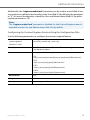
Additional Information
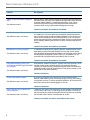
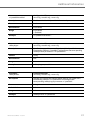
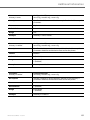
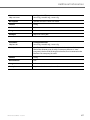
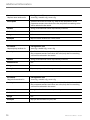
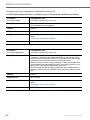
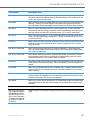
Parameter –
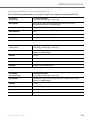
ldap email 2 attribute list
Configuration Files
aastra.cfg, <model>.cfg, <mac>.cfg
Description
Specifies the LDAP email 2(e.g. [email protected]) for the attribute list.
If this parameter contains more than one value, only the first matching
value will be selected in the record.
Format
String, list of attribute names separated by a comma.
Default Value
N/A
Range
N/A
Example
ldap email 2 attribute list: email2, mail2
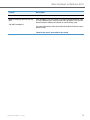
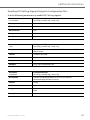
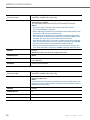
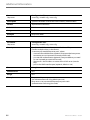
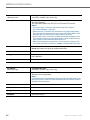
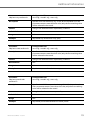
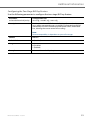
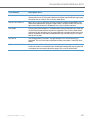
Parameter –
ldap email 3 attribute list
Configuration Files
aastra.cfg, <model>.cfg, <mac>.cfg
Description
Specifies the LDAP email 3 (e.g. [email protected]) for the attribute list.
If this parameter contains more than one value, only the first matching
value will be selected in the record.
Format
String, list of attribute names separated by a comma.
Default Value
N/A
Range
N/A
Example
ldap email 3 attribute list: email3, mail3
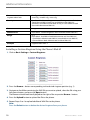
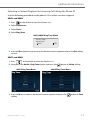
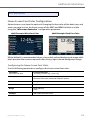
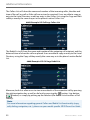
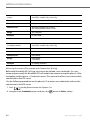
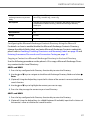
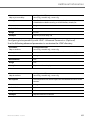
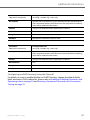
Configuring an LDAP Directory Using the Phone UI
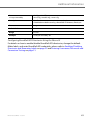
For details on how to enable/disable an LDAP Directory, change the default folder
label, and enter LDAP credentials, please refer to Enabling/Disabling Directories and
Renaming Labels on page 29 and Entering Usernames/Passwords and Connection
Testing on page 31.
RN-001039-00 REV00 – 10.2014
79