1
!
CONTENTS
[1] PRODUCT OUTLINE . . . . . . . . . . . . . . . . . . . . . . . . . . . . 1-1
[6] SIMULATIONS, FAX SOFTWARE SWITCH
1. Entering the simulation mode . . . . . . . . . . . . . . . . . . . . 6-1
[2] CONFIGURATION . . . . . . . . . . . . . . . . . . . . . . . . . . . . . . 1-1
2. Switching the simulation mode . . . . . . . . . . . . . . . . . . . 6-1
3. Canceling the simulation mode . . . . . . . . . . . . . . . . . . . 6-1
4. Simulation list . . . . . . . . . . . . . . . . . . . . . . . . . . . . . . . . 6-1
[3] SPECIFICATIONS
1. FAX function . . . . . . . . . . . . . . . . . . . . . . . . . . . . . . . . . 3-1
5. Detail of simulations . . . . . . . . . . . . . . . . . . . . . . . . . . . 6-3
6. FAX software switch . . . . . . . . . . . . . . . . . . . . . . . . . . . 6-22
[7] MACHINE OPERATION
[4] EXTERNAL VIEWS AND INTERNAL STRUCTURES
1. Operation panel . . . . . . . . . . . . . . . . . . . . . . . . . . . . . . 4-1
2. FAX mode (Condition setting screen). . . . . . . . . . . . . . 4-2
3. PWB . . . . . . . . . . . . . . . . . . . . . . . . . . . . . . . . . . . . . . . 4-3
1. Key operator program . . . . . . . . . . . . . . . . . . . . . . . . . . 7-1
2. Fax power switch. . . . . . . . . . . . . . . . . . . . . . . . . . . . . . 7-2
3. Originals that can be faxed . . . . . . . . . . . . . . . . . . . . . . 7-2
4. Own number sending . . . . . . . . . . . . . . . . . . . . . . . . . . 7-3
5. Quick On-line . . . . . . . . . . . . . . . . . . . . . . . . . . . . . . . . 7-3
[5] UNPACKING AND INSTALLATION . . . . . . . . . . . . . . . . . 5-1
6. Communication report codes . . . . . . . . . . . . . . . . . . . . 7-4
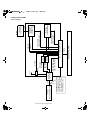
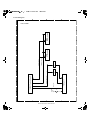
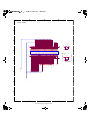
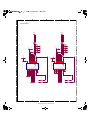
[8] BLOCK DIAGRAM
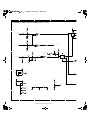
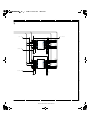
1. MDMC PWB . . . . . . . . . . . . . . . . . . . . . . . . . . . . . . . . . 8-1
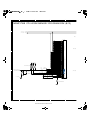
2. FAX Interface PWB . . . . . . . . . . . . . . . . . . . . . . . . . . . . 8-28
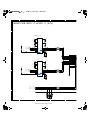
3. TEL / LIU PWB. . . . . . . . . . . . . . . . . . . . . . . . . . . . . . . 8-35