1
XL-DK227N
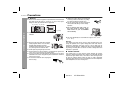
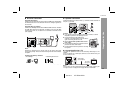
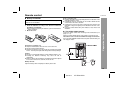
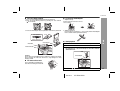
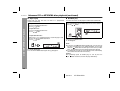
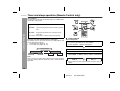
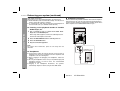
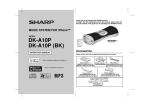
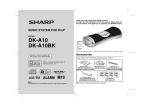
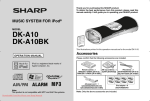
To insert iPod adaptor
To remove iPod adaptor
1. Press the ON/STAND-BY button to turn the power on.
2. Open the iPod docking station by pushing the area marked
“ PUSH OPEN”.
1. Adaptor with tip.
Hold this tip and pull as direction shown to
remove adaptor
& STOP)
PLAYBACK (PLAY
pull up
3. Insert the iPod adaptor into the ipod dock and connect your iPod.
2. Adaptor without tip.
Insert the tip of a screwdriver (“–“ type, small) into the iPod adaptor
hole as shown and lift upward to remove)
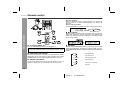
iPod
iPod (bottom)
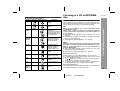
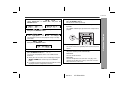
iPod playback
iPod adaptor
iPod dock
iPod connector
1
2
3
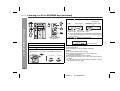
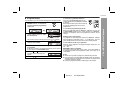
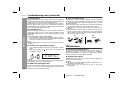
Press the ON/STAND-BY button to turn the power on.
iPod
Dock connector
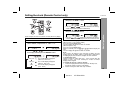
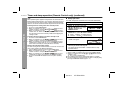
Press the iPod button to select iPod function.
Insert iPod unit in iPod dock of main unit. “DOCK OK” will
be displayed for 3 seconds except for iPod mini and 4th
Generation iPod.
iPod
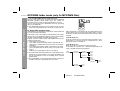
Caution:
Do not place the iPod docking base without any support from below
when inserting the iPod unit, otherwise it may damage the iPod
docking station.
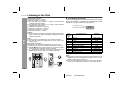
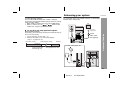
iPod adaptor
To remove iPod unit
Press and hold the iPod docking
base when removing the iPod unit.
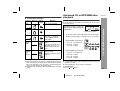
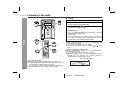
4
Press the
03/12/17
/
button to start playback.
XL-DK227N.fm
17