1
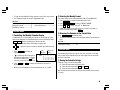
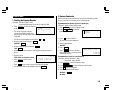
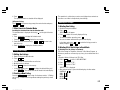
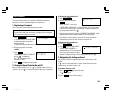
• To enter the next telephone listing, continue to enter in the same manner.
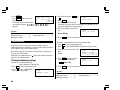
2.Selecting the Weekly Format
• The Telephone listings are stored in alphabetical order.
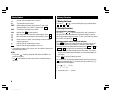
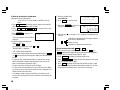
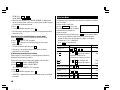
The weekly format can be switched between SUN-SAT and MON-SUN.
See also ...
Recalling the Listings ................ 15
Editing the Listings .................... 17
Deleting the Listings .................. 17
Checking the Memory Storage .. 15
Entering Characters .................... 4
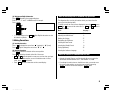
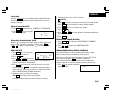
1. Press
CALENDAR
2. Press
MENU
3. Press
1
to display the Calendar mode screen.
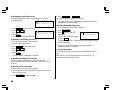
1 to select “1 WEEKLY FORMAT”.
or 2 to select “SUN-SAT” or “MON-SUN”.
NEXT
• A “ ” mark moves to your selection and you return to the mode in
which you were before pressing MENU .
Calendar Mode
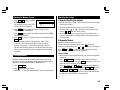
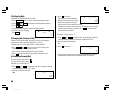
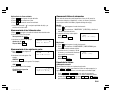
3.Returning the Calendar to the Current Date
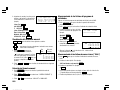
1.Controlling the Monthly Calendar Display
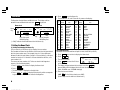
Press
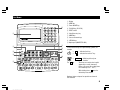
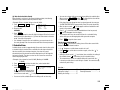
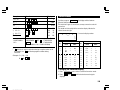
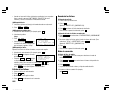
The Organizer has a 5-line display and 4 weeks of a month and day of the
week can be displayed. Use the following keys to control the display status.
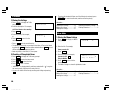
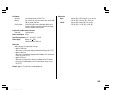
• The current monthly calendar will be displayed, and the current date will
flash.
NEXT
PREV
: displays the following or previous month.
2nd
CALENDAR
in Calendar mode.
See also ...
• Hold down either of these keys for rapid recall.
Recalling the Listings ................ 15
: moves the cursor or scrolls the calendar up or down one week.
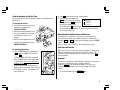
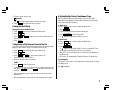
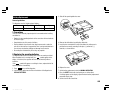
1. Press CALENDAR to display the
Calendar mode.
• “ ” indicates the 5th or 6th week of
the month is hidden below. To display
the 5th or 6th week, press
until
the cursor scrolls into the next screen.
2. Press NEXT (or
previous) month.
PREV
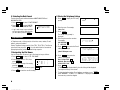
Year
Month
2001
APR
Day of the
week
S M T W T F S
1
8
15
22
2
9
16
23
3
10
17
24
4
11
18
25
5
12
19
26
6
13
20
27
) to display the calendar for the next (or
• When you reset the Organizer, the calendar defaults to Jan. 1, 2001.
7
14
21
28
Schedule Mode
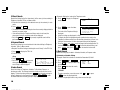
A schedule listing consists of 3 entries: date, time, and detail. In the date
entry, 4 digits can be entered for the year and 2 digits each for the month,
day, hour, and minute.
1.Storing the Schedule Listings
There are 3 ways to enter the desired date:
(1) Enter the desired date in Calendar mode
(2) Enter the desired date with NEXT (or PREV )
(3) Enter the desired date directly
After the date has been entered, the entry of time and detail is the same for
all 3 ways.
9
YO-515 (E0426E)