1
The WebMux™ Model 480S, 580SG, and 680PG User Guide – Version 7.0.x
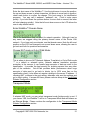
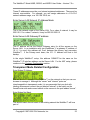
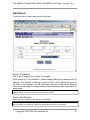
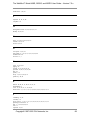
Enter the host name of the WebMux™. Use the right arrow to move the position,
the up and down arrows to select characters, left arrow to move back in position,
check mark button to confirm the change. This host name is for identification
purposes. You may call it webmux1, webmux2, etc. (Trick to enter name
quickly: If you hold down the up/down button for more than a second, the letter
will start changing quickly.) Note the left most down arrow on the LCD allows the
user to skip certain entries.
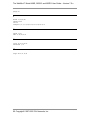
Enter WebMux™ Domain Name:
This is for identification only; no effect for network operation. Although it can be
any name, we suggest using the primary domain name of the Router LAN
network. If you have only one domain, use that domain name. Note the left most
position on the LCD has changed to an up and down arrow, allowing the user to
go back and forth for questions and answers.
Choose NAT mode or Out-of-Path Mode:
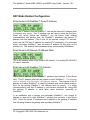
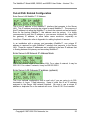
This is where to choose NAT (Network Address Translation) or Out-of-Path mode.
“*” is a default or selected option. Network address translation provides
protection to the servers; it can handle large amounts of data as noted in the
specification. It provides the best security for isolating servers from any other
part of the networks. Out-of-Path provides better performance when huge
amounts of data need to go back to clients (up to 100X more than on the
specification chart); it also does not require a change to the server IP address. If
choosing NAT, continue to the next setting; otherwise, skip next few settings and
go to direct routing. If answer NO here, please continue setup at the Out-of-Path
Related Configuration section.
Transparent Mode:
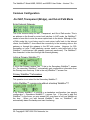
If selected NAT mode, you can select transparent mode (bridge mode) or not. If
you choose YES, the WebMux™ will be in Transparent Mode and will behave as
an Ethernet Bridge. Please continue the configuration to the Transparent Mode
Related Configuration section.
Copyright© 1997-2006 CAI Networks, Inc.
21