1
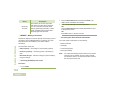
6 When the dispatcher acknowledges, you hear four tones
7 Press H to return to the Home screen.
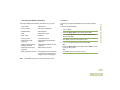
No traffic is heard on trunked channels while Status Call is
selected. If the radio detects no Status Call activity for six
seconds, you will hear an alert tone until you press H or the
PTT button.
Using the Dynamic Regrouping Feature (Trunking
Only)
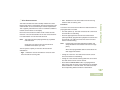
This feature allows the dispatcher to temporarily reassign
selected radios to a particular channel where they can
communicate with each other. This feature is typically used
during special operations and is enabled by a qualified radio
technician.
You will not notice whether your radio has this feature enabled
until a dynamic regrouping command is sent by the dispatcher.
Note:
If you try to access a zone or channel that has been
reserved by the dispatcher as a dynamically regrouped
mode for other users, you will hear an invalid tone.
Advanced Features
and the display shows Ack received. The radio returns to
normal dispatch operation.
OR
If no acknowledgment is received, you hear a low-pitched
tone and the display shows No acknowledge.
Procedure:
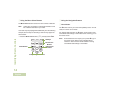
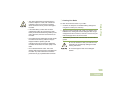
1 When your radio is dynamically regrouped, it automatically
switches to the dynamically regrouped channel. You hear a
“gurgle” tone and the display shows the dynamically
regrouped channel’s name.
2 Press the PTT button to talk. Release PTT button to listen.
When the dispatcher cancels dynamic regrouping, the radio
automatically returns to the zone and channel that you were
using before the radio was dynamically regrouped.
45
English