1
Pro Tools Creative Collection Options
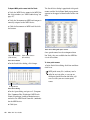
Select any of the Pro Tools Creative Collection
options you want installed. For more information, see the Audio Plug-Ins Guide.
Effect Plug-Ins Installs six free virtual instrument
plug-ins from Avid’s AIR group.
Virtual Instruments Installs 20 free effects plugins from Avid’s AIR group.
Launching Pro Tools LE
When launching Pro Tools LE the first time, you
are prompted to enter an authorization code to
validate your software. (The code begins with
the letters DIGI.)
To authorize Pro Tools LE software:
1 Make sure Mbox Mini is connected to your
computer.
Virtual Instrument Content Installs sample content for AIR virtual instruments.
Virtual Instrument Content is very large
and may take up to 20 minutes to install.
During this time, the progress bar may not
appear to move but your software is still installing. Do not terminate your installation.
Additional Options
The Pro Tools installer provides the following
additional options to install along with
Pro Tools software and plug-ins:
Avid CoreAudio Drivers This option installs a
multichannel sound driver that allows CoreAudio-compatible applications to record and play
back through Avid audio interfaces.
2 Click the Pro Tools LE icon in the Dock (or
double-click the application icon in the
Pro Tools folder inside the Digidesign folder).
3 Enter the authorization code in the dialog
(making sure to type it exactly as printed, and
observing any spaces and capitalization), then
click Validate. (Your authorization code is located on the back of your Pro Tools DVD wallet.)
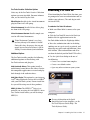
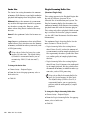
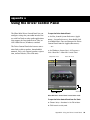
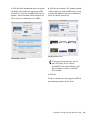
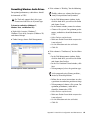
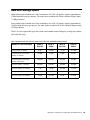
4 Use the Quick Start dialog to do one of
the following:
• Create a new session from template.
• Create a new blank session.
• Open any other session on your system.
Avid Video Engine This option lets you integrate
Avid® video peripherals (such as the Avid Mojo®
with your Pro Tools system). Do not install unless you will be using one of these products.
MIDI I/O Driver The MIDI I/O™ Driver is required if you are using the Avid MIDI I/O interface. Do not install unless you will be using a
MIDI I/O.
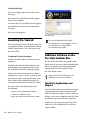
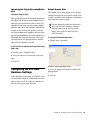
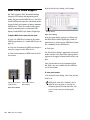
Quick Start dialog
For more information on the Quick
Start dialog and session templates, see the
Pro Tools Reference Guide (Help > Pro
Tools Reference Guide).
Chapter 2: Installing Pro Tools on Mac
7