1
Contents
Introduction to Your Projector ................................................................................................................... 7
Projector Features................................................................................................................................ 7
Product Box Contents...................................................................................................................... 7
Additional Components .................................................................................................................. 8
Optional Equipment and Replacement Parts................................................................................... 9
Registration and Warranty Information .......................................................................................... 10
Notations Used in the Documentation ................................................................................................ 10
Where to Go for Additional Information .............................................................................................. 10
Projector Parts Locations ................................................................................................................... 11
Projector Parts - Front/Top ............................................................................................................ 11
Projector Parts - Rear .................................................................................................................... 12
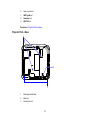
Projector Parts - Base.................................................................................................................... 13
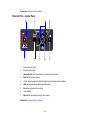
Projector Parts - Control Panel ...................................................................................................... 14
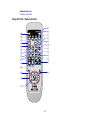
Projector Parts - Remote Control................................................................................................... 15
Setting Up the Projector ........................................................................................................................... 17
Projector Placement........................................................................................................................... 17
Projector Setup and Installation Options ....................................................................................... 17
Projection Distance........................................................................................................................ 19
Projector Connections........................................................................................................................ 22
Connecting to Computer Sources.................................................................................................. 22
Connecting to a Computer for USB Video................................................................................. 23
Connecting to a Computer for VGA Video ................................................................................ 24
Connecting to a Computer for USB Mouse Control................................................................... 25
Connecting to Video Sources ........................................................................................................ 26
Connecting to a Component-to-VGA Video Source .................................................................. 27
Connecting to an RGB VGA Video Source ............................................................................... 27
Connecting to an S-Video Video Source................................................................................... 27
Connecting to a Composite Video Source ................................................................................ 28
Installing Batteries in the Remote Control .......................................................................................... 28
Opening the Lens Cover .................................................................................................................... 30
3