1
Operation Verification
I/Q Modulation Check
I/Q Modulation Check
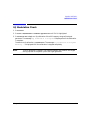
1. Press Preset.
2. Press I/Q > I/Q Calibration > Calibration Type User Full until Full is highlighted.
3. Press Execute Cal to begin an I/Q calibration of the full frequency range of the signal
generator. The message I/Q Calibration in Progress is displayed until the calibration
is complete.
To abort the I/Q calibration, press Abort Cal. The message I/Q Calibration in Progress
Aborting... is displayed until the calibration is stopped completely.
NOTE
Chapter 3
The I/Q calibration is stored in non-volatile memory and remains unchanged
during a preset or the power cycle of the signal generator.
33