1
Optional Utilities
Note: Web SmartDeviceMonitor and DeskTopBinder Lite are no longer bundled as standard utilities, but can
be purchased and downloaded for use with the Savin CLP37DN/CLP42DN.
Web SmartDeviceMonitor Version 2/ SmartDeviceMonitor for Admin (Optional)
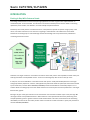
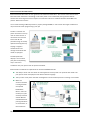
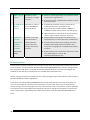
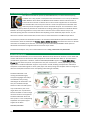
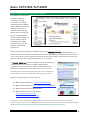
While Web Image Monitor remotely
manages a single device, Web
SmartDeviceMonitor utility and its
Windows-based companion
SmartDeviceMonitor for Admin can
oversee fleets of multiple devices
installed on the network.
WSDM allows administrators the ability
to change printer and driver default
settings and distribute those changes
to all devices electronically organized
into groups. Users can see detailed
information regarding attached
options, change device names or IP
addresses as necessary, and monitor
printer usage.
•
We b Sm artD eviceMoni tor: For larger environments
using the Web to manage peripherals. The software is
installed on a Windows server.
Smar tDevic eMonito r for Admin: Designed for smaller
offices, the software is installed on the Administrator’s PC
and uses Windows to control printer communications.
•
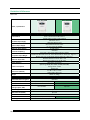
Web SmartDeviceMonitor is a scalable
enterprise-class solution that should
be recommended to users with a mix
of devices installed on several floors,
buildings, or even different cities. WSDM helps to control document production costs by forcing individual
users to comply with printing rules such as duplexing or restricting access to color output. WSDM can also
provide information about other vendors’ devices so that IT managers can use a single utility to monitor all
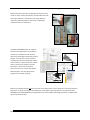
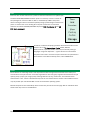
printing devices on the network. The user interface is designed for at-a-glance system monitoring with green
(OK), yellow (Requires attention), and red (fault has occurred) indicators denoting status conditions.
The “lite” version intended for end-users, previously known as SmartDeviceMonitor for Client, has been
merged with the functionality found in the latest version of Savin's DeskTopBinder software.
90