1
RECORDING WITH YOUR HD SLAYER
VIDEO RECORDING
The HD Slayer captures stunning high definition video and uses a simple
one button recording system.
Start and stop recording
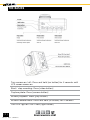
To start recording press and release the [video button]. While recording
the blue status LED will flash intermittently. On the top of the screen the
red video icon will be displayed and the duration of the recording will be
counted.
Note: it is not possible to start recording when the camera is in the menu
mode.
To stop recording press and release the [video button]. The blue status
LED will stop flashing and the red video icon will disappear.
Your HD Slayer will immediately stop recording when the battery is out of
power or the memory card(s) are full. Data will be saved before recording
stops.
DIFFERENT VIDEO MODES
Your HD Slayer has a range of video formats and options that allow
maximum flexibility over the size and quality of your footage.
To access the video menu press and hold the [M button] for two seconds
to access the main menu, and then press the [M button] once to access
the video menu.
Higher resolutions produce greater quality images and larger data files.
capture it : share it : relive it
[8]
©2013 REEL CAMERAS