1
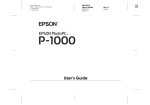
EPSON PhotoPC
Note the following when handling batteries:
cl
ci
cl
Do not use manganese batteries.
Ll
When the camera is not used for long periods of time,
remove the batteries and store them at a low temperature
in a dry location.
cl
Dispose of used batteries according to the battery
manufacturer’s instructions and in compliance with all
applicable laws. Contact your local government agency
for information about battery recycling and disposal.
0
If you use rechargeable Ni-Cad batteries, replace them
with four fully-charged batteries. If you find that your
batteries run out faster after you recharge them a number
of times, make sure you discharge them completely before
recharging.
Replace all four batteries at the same time.
Do not drop, puncture, disassemble, or mutilate batteries.
Do not get them wet or expose them to fire.
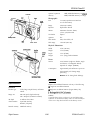
The Control Buttons
You can adjust the following settings using the control
buttons on the top of the camera:
P Flash
Cl Resolution
Ll Timer.
All control button settings (except the timer) remain in effect
even after you turn off the camera. However, they return to
their factory settings when you remove or change the
batteries.
resolution
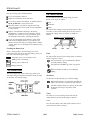
Checking the Battery Icon
Before you take pictures, check the battery icon on the
control panel. The icon shows how much battery power you
have left, in the following four stages:
m
Full battery power (or AC adapter in use)
m
Battery power is decreasing
D
Battery power is almost out
flash
erase
Flash
The built-in flash has these three settings, which are effective
within a range of 3 to 10 feet:
*UTo Auto sets the flash to go off automatically whenever
$ it’s needed (factory setting)
Forced flash sets the flash to go off for every picture.
31 Change batteries
Flash off disables the flash even in inadequate
lighting.
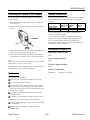
The Control Panel
The control panel keeps track of how many pictures have
been taken and gives important information about the status
of the battery and various settings.
timer
Resolution
The PhotoPC has the following two resolution settings:
Hi
High resolution images are captured at 640 x 480; the
camera can hold up to 16 pictures at high resolution
S
Standard resolution images are captured at 320 x 240;
the camera can hold up to 32 pictures at this
resolution
Timer
The timer sets a lo-second delay between the time the
shutter button is pressed and the image is captured.
Erase
Press the erase button with a small pointed object to erase a
picture from the camera’s memory.
EPSON PhotoPC-2
12/95
Digital Camera