1
E9656UD_EN_1.qx4
05.7.15
11:55 AM
Page 22
Getting started
Setting the clock
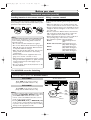
Set the correct time before using
Timer Recording. If a Public
Broadcasting Service (PBS) station is
available in your area, follow the Auto
Clock Setting below. If not, follow the
Manual Clock Setting on pages 23.
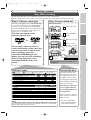
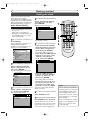
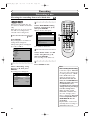
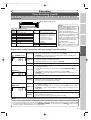
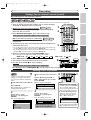
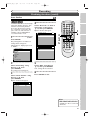
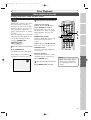
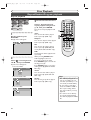
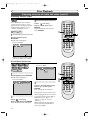
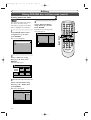
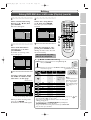
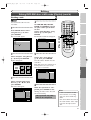
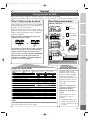
Auto Clock Setting
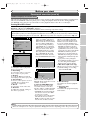
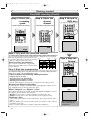
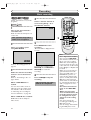
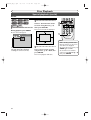
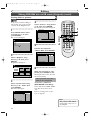
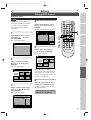
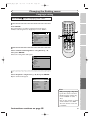
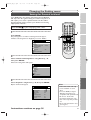
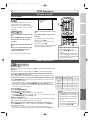
4
Select “Auto Clock Setting”
using Cursor K / L, then
press ENTER.
Option window will appear.
Auto Clock Setting
Make sure:
• The antenna/CATV connections
are correct.
• If this unit is connected to a
Cable Box or Satellite Box, select
the local PBS station to set the
clock automatically.
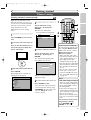
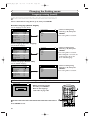
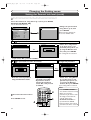
1
Easy Setting Menu
OSD Language
VCR DVD
English
Clock
Channel
DVD-RW Recording Format
VR mode
Timer Programming
Auto Finalize
Progressive
OFF
Disc
5
VCR DVD
OFF
Auto
1
6
Manual
2
3
4
5
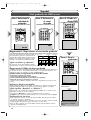
The default is “Auto”.
Press SETUP.
Easy Setting Menu or Advanced
Setting Menu will appear.
If Advanced Setting Menu is displayed, proceed to STEP 3.
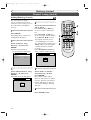
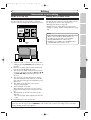
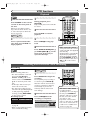
7
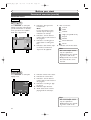
5
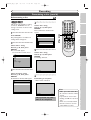
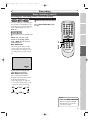
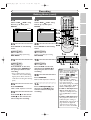
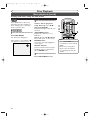
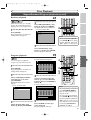
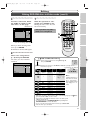
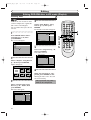
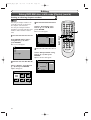
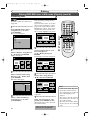
• If you do not know the PBS
channel number in your area,
select “Auto” using Cursor
K / L, then press ENTER.
The setting will be activated.
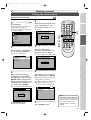
• If you know the PBS channel
number in your area, select
“Manual” using Cursor
K / L, then press ENTER.
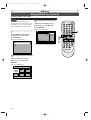
Advanced Setting Menu
Auto Clock Setting - Manual
VCR/DVD RECORDER
COMBINATION
VCR DVD
Set Channel No.
CH 1
2
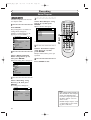
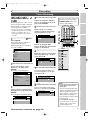
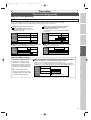
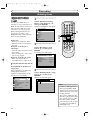
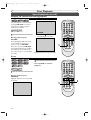
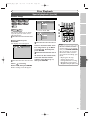
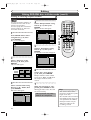
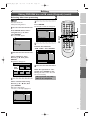
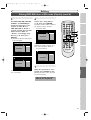
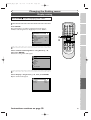
Select “Advanced Setting
Menu” using Cursor K / L,
then press ENTER.
Advanced Setting Menu will appear.
Advanced Setting Menu
Playback
Recording
Display
Select Video
Clock
Channel
Disc
Easy Setting Menu
3
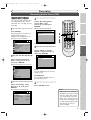
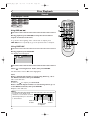
Select “Clock” using Cursor
K / L, then press ENTER.
Clock menu will appear.
VCR DVD
Clock
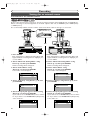
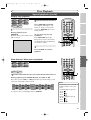
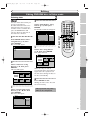
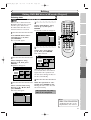
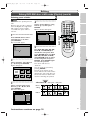
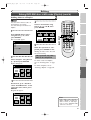
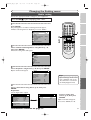
Enter the PBS channel
number using the Number
buttons or Cursor K / L,
then press ENTER.
The setting will be activated.
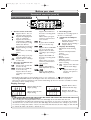
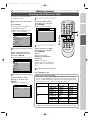
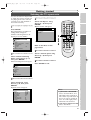
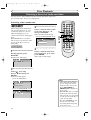
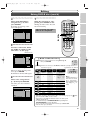
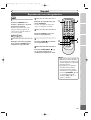
• If you want to set the clock manually and cancel the auto clock setting function, select “OFF” using
Cursor K / L, then press ENTER.
The auto clock setting function
will be canceled.
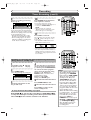
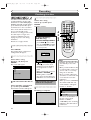
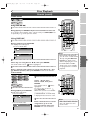
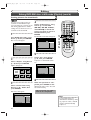
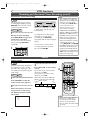
6
Press SETUP to exit.
Clock Setting
Auto Clock Setting
Auto
Daylight Saving Time
ON
7
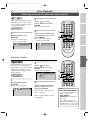
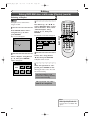
Press POWER to turn off the unit.
This unit will search for the clock time
only when the power is off. Leave it off for
several minutes to give this unit time to
set the clock on the front display panel.
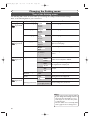
22
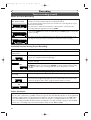
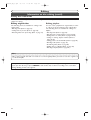
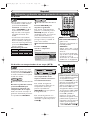
Note
• The clock may set itself automatically after you connect the
antenna/CATV signal to this
unit and plug in the power
cord. In this case, the current
time will appear on the front
panel display.
• If the current time is not displayed or the displayed clock
time is not correct, set the
clock manually.