1
The EVA environment
The EVA storage system requires unique fabric connections. For detailed information, see the following
guides:
• HP StorageWorks Secure Path 2.0D for IBM AIX installation guide
• HP StorageWorks IBM AIX Enterprise Virtual Array installation and configuration guide
Installations in an HACMP environment
Use the following guidelines for installations in an HACMP environment:
• The Secure Path 2.0D Service Pack 3 for IBM AIX FC HBA driver must be installed on all nodes in the
cluster accessing the RAID system.
• The binary file cluster.HSGXX.scsi.support.1.0.0.1 must be installed in the hacmp
directory if Secure Path is used.
More information about HACMP can be found in the following references:
• HP StorageWorks HSG80 ACS solution software 8.7 for IBM AIX installation and configuration guide
• HP StorageWorks IBM AIX connectivity for the Enterprise Virtual Array release notes
Partitioned storagesets
Storage units configured from partitioned storagesets must be identified and defined as other units on
the RAID storage system. All partitions must be assigned to the same HSGx0 controller.
In a Secure Path environment, if units created from partitions have a preferred path set to a controller,
all such partitions must have the same preferred path. Failover and failback events of a partitioned
unit affect all partitions of the same storageset.
Connection offsets
If connection offsets are used with Secure Path, you must set the same offset value on both connections to
the AIX HBA pair. See the HP StorageWorks HSG80 ACS solution software 8.7 for IBM AIX installation
and configuration guide for instructions.
The cbxfcar autorecovery daemon
The Secure Path autorecovery daemon (cbxfcar) is installed with the FC HBA driver. When the driver
is installed, you can add an entry in /etc/inittab to automatically start the cbxfcar daemon
on system boot.
Operating considerations
Configuration
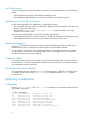
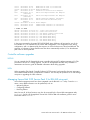
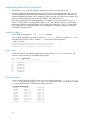
Use the lsdev -Cc adapter and lsdev -Cc disk commands to see information about the Secure
Path adapter configuration.
# lsdev
sa0
sa1
sa2
siokma0
fda0
scsi0
iga0
scsi1
scsi2
6
-Cc adapter
Available 01-S1
Available 01-S2
Available 01-S3
Available 01-K1
Available 01-D1
Available 10-60
Available 10-68
Available 30-58
Available 30-60
Standard I/O Serial Port
Standard I/O Serial Port
Standard I/O Serial Port
Keyboard/Mouse Adapter
Standard I/O Diskette Adapter
Wide SCSI I/O Controller
GXT110P Graphics Adapter
Wide SCSI I/O Controller
Wide/Fast-20 SCSI I/O Controller