1
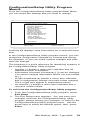
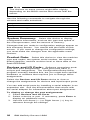
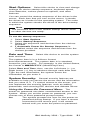
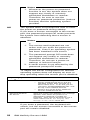
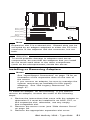
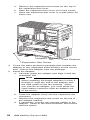
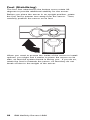
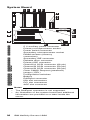
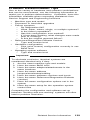
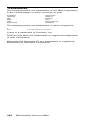
11. If the server comes with an air baffle, reinstall it. To reinstall the air baffle, follow the instructions in step 2 on page 85 in reverse order. 12. If you replace the microprocessor with one that has a different speed, you must change the switch settings on the system board. To locate the switches, see “System Board” on page 96. For information about the appropriate switch settings, see “Microprocessor Speed Switches” on page 99, or see the label inside the server cover. 13. Since you installed a new microprocessor in the server, you must reconfigure the server. Follow the procedure described in “Configuration/Setup Utility Program Menus” on page 19. You might also need to make changes to the operating system. If the operating system does not support SMP, install one of the SMP operating systems that the server supports. See http://www.pc.ibm.com/us/server/ on the World Wide Web. If the operating system does support SMP, refer to the operating-system documentation. You might need to make changes so that the operating system recognizes the new microprocessor. 14. If you want to install or remove any other options, do so now. Otherwise, go to “Completing the Installation” on page 56. 88 IBM Netfinity Servers HMM