1
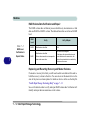
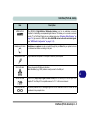
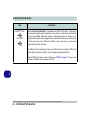
Modules RAID Hard Disks All hard disks in a RAID should be identical (the same size and brand) in order to prevent unexpected system behavior. SATA Mode Selection 7 The SATA mode selection should be made before installing your operating system. DO NOT change your selected SATA mode unless you intend to reinstall your operating system. Make sure you have backed up all your data before doing so. Setting Up SATA RAID or AHCI Mode AHCI Mode Advanced Host Controller Interface (AHCI) is an interface specification that allows the storage driver to enable advanced serial ATA features such as Native Command Queuing (for maximum hard disk efficiency and performance). AHCI mode can be supported by one or two hard disks. Make sure you install the Intel® Rapid Storage Technology application if you have set up your hard disk(s) in AHCI mode (see “Intel Rapid Storage Technology” on page 7 - 9) RAID To configure your RAID (Redundant Array of Independent Disks) system in Striping (RAID 0), Mirroring (RAID 1) or Recovery modes (see Table 7 - 1, on page 7 3) you will require at least two identical (see sidebar) hard disks. Note that if you are using Advanced format hard disks that have a 4KB physical sector size, and you are installing a Windows 7 release pre Service Pack 1, you will need to install a driver from the Device Drivers & Utilities + User’s Manual disc at OS installation (see page 8 - 20). Intel® Rapid Storage Technology Application Make sure you install the Intel® Rapid Storage Technology application if you have set up your hard disk(s) in RAID mode (see “Intel Rapid Storage Technology” on page 7 - 9). 7 - 2 Setting Up SATA RAID or AHCI Mode