1
Upgrading The Computer
7.
8.
9.
10.
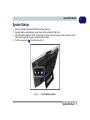
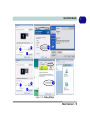
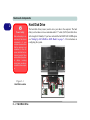
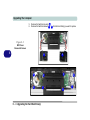
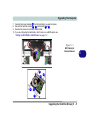
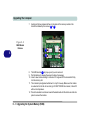
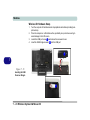
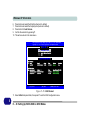
Carefully disconnect cable(s) 9 from the hard disk(s) you want to replace.
Remove the hard disk screws 10 - 13 , and brackets 14 & 15 .
Reverse the process to install any new hard disk.
If you are configuring the hard disks in AHCI mode or as a RAID system see
“Setting Up SATA RAID or AHCI Modes” on page 7 - 2.
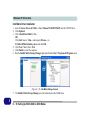
Figure 6 - 3
HDD Cable(s) &
Bracket Removal
9
13
15
10
12
14
11
Upgrading the Hard Disk Drive(s) 6 - 5
6